
Calendars · head to head
Clockify vs Memberstack

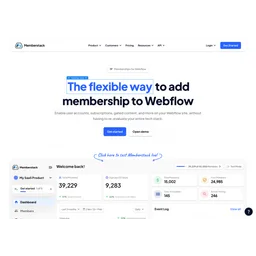
Memberstack
Productivity
Add memberships and logins to any website
- From
- Free
- Free plan
- Yes
The short version
- Clockify is a completely free time tracking software for teams.
- Free plans on both; paid from $4.99/mo and $29/mo.
- Where Clockify falls short: the free plan stops at 5 users.
- Where Memberstack falls short: basic and Professional tiers include transaction fees of 4% and 2% respectively.
- Prices and features on this page were last checked on 13 November 2026.
How do Clockify and Memberstack differ?
Clockify and Memberstack differ on pricing model (Freemium against Subscription), platforms and category (Calendars against Productivity). Only the attributes on which Clockify and Memberstack actually diverge.
| Attribute | Clockify | Memberstack |
|---|---|---|
| Pricing model | Freemium | Subscription |
| Platforms | Web, Windows, macOS, Linux, iOS, Android, Browser extension | Web |
| Category | Calendars | Productivity |
Identical on both: starting price (Free), free tier (Yes).
Not yet recorded: founded for Memberstack.
Which features does each one have?
They share no listed features; 20 appear only for Clockify. Drawn from each product's published feature list. An absence here means we hold no record of it - not that the product lacks it.
Only in Clockify
- Timer & manual time entry
- Timesheets
- Calendar view
- Projects & tasks
- Reports & analytics
- Team dashboard
- Kiosk mode
- Offline mode
Only in Memberstack
Nothing recorded that Clockify does not also cover.
What is each one used for?
Clockify is most often brought in for employee time tracking; Memberstack for launching course platforms without custom backend. The jobs each tool is most often brought in to do.
Clockify
- Employee time trackingnot Memberstack
- Project time budgetsnot Memberstack
- Client billingnot Memberstack
- Productivity analysisnot Memberstack
- Payroll calculationnot Memberstack
Memberstack
- Launching course platforms without custom backendnot Clockify
- Building subscription services with Webflow and paymentnot Clockify
- Gating content without writing codenot Clockify
- Managing password resets and two-factor authenticationnot Clockify
- Processing Stripe billing automaticallynot Clockify
Where do Clockify and Memberstack fall short?
Clockify's most cited limit: the free plan stops at 5 users. Memberstack's: basic and Professional tiers include transaction fees of 4% and 2% respectively. Documented limitations, not opinions. Every one is a constraint you would hit in normal use.
Clockify
- The free plan stops at 5 users
- Free accounts are throttled to 30 API requests per hour and 3 webhooks
- Reporting on the free plan only covers a 1 month range
- Invoicing needs Standard at $5.49 per seat per month and GPS tracking needs Pro at $7.99
- SSO, SCIM provisioning, a custom subdomain and the audit log are Enterprise only at $11.99 per seat per month
Memberstack
- Basic and Professional tiers include transaction fees of 4% and 2% respectively
- Annual billing required for discounts; monthly pricing is higher
- Webflow community builders receive Basic plan free but locked to that tier
How much do Clockify and Memberstack cost?
Clockify has a free plan, with paid plans from $4.99/mo; Memberstack has a free plan, with paid plans from $29/mo. Plan by plan below, from each vendor's own pricing page.
Clockify
Free- FreeFree
- Unlimited time tracking
- Up to 5 users
- Timer, timesheet, auto-tracker, calendar
- Basic$4.99/mo
- All Free features
- Kiosk access, bulk editing, project templates
- Time import/export
- Standard$6.99/mo
- All Basic features
- Invoicing, time-off management, approvals
- QuickBooks integration, overtime tracking
- Pro$9.99/mo
- All Standard features
- Scheduling, forecasting, expenses, GPS tracking
- Custom fields, labor cost analysis, budgeting
Memberstack
Free- Basic$29/mo
- Up to 1,000 members
- 4% transaction fee
- $25/month with annual billing
- Professional$49/mo
- Up to 5,000 members
- 2% transaction fee
- $39/month with annual billing
- Business$99/mo
- 10,000+ members
- 0.9% transaction fee
- $79/month with annual billing
- Established$499/mo
- 10,000+ members
- Zero transaction fees
- $399/month with annual billing
Which should you pick?
Choose Clockify if
- You need timer & manual time entry.
- You want to start without paying.
- You work on Web, Windows, macOS, Linux, iOS, Android, Browser extension.
- You also want timesheets.
Questions people ask
- Is Clockify or Memberstack better?
- Neither clearly leads. Clockify starts at Free and Memberstack at Free, and user ratings are close enough to be indistinguishable. Choose on capability and platform support.
- Which is cheaper, Clockify or Memberstack?
- Clockify starts at Free and Memberstack at Free.
- Does Clockify or Memberstack run on more platforms?
- Clockify runs on Web, Windows, macOS, Linux, iOS, Android, Browser extension. Memberstack runs on Web.
- Can I use Clockify for free?
- Both have a free tier, so you can try either at no cost before committing.
- What is Clockify best used for?
- Clockify is most often used for employee time tracking, project time budgets, client billing, productivity analysis. Of those, employee time tracking and project time budgets are not what Memberstack is typically brought in for.
- What can Clockify do that Memberstack cannot?
- Clockify covers Timer & manual time entry, Timesheets, Calendar view, Projects & tasks.
Answered from the vendors’ own pages
Clockify: How much does Clockify cost?
Clockify Free is free for up to 5 users with unlimited time tracking. Paid plans per-seat per-month are Basic $4.99, Standard $6.99, Pro $9.99, and Enterprise $14.99 (monthly). Annual billing offers 20% discount.
SourceMemberstack: What are Memberstack's transaction fees?
Memberstack's transaction fee varies by tier: Basic plan charges 4% per transaction, Professional charges 2%, Business charges 0.9%, and Established tier charges zero transaction fees.
SourceClockify: Can I use Clockify for free?
Yes, Clockify Free offers unlimited time tracking, timer, timesheet, auto-tracker, calendar, and reports for up to 5 users.
SourceMemberstack: Does Memberstack offer a free trial or testing mode?
Yes, Memberstack offers an unlimited free trial in test mode requiring no credit card. Users maintain full feature access at no cost until their site launches with real members.
SourceClockify: How much savings do I get with annual billing?
Annual billing saves 20% versus monthly. For example, Basic is $3.99/seat annually ($47.88/year) versus $4.99/seat monthly ($59.88/year).
SourceMemberstack: What discounts does Memberstack offer?
Memberstack offers 50% discount for non-profits, special pricing for young professionals (4% fees), and $249/month with zero fees for startups under $1M raised. Webflow community builders receive the Basic plan free. 30-day money-back guarantee available with full refund.
SourceClockify: What is the most expensive Clockify plan?
Enterprise plan is $14.99/seat/month (monthly) or $11.99/seat/month (annual) and includes SSO, custom subdomain, SCIM provisioning, audit logs, and account controls.
SourceRelated pages
More on Memberstack
Other head to heads
- Clockify vs Jibble
- Clockify vs Practice
- Clockify vs Woven
- Clockify vs x.ai
- Clockify vs Google Calendar
- Clockify vs Amie
- Clockify vs Apple Calendar
- Clockify vs Notion Calendar
- Clockify vs Microsoft To Do
- Clockify vs OmniFocus
- Clockify vs Morgen
- Clockify vs SavvyCal
- Clockify vs Float
- Clockify vs YouCanBook.me
- Clockify vs BusyCal
- Clockify vs Google Tasks
- Clockify vs Cron Calendar
- Clockify vs Outlook Calendar
- Clockify vs Notion
- Clockify vs Todoist
- Clockify vs OmniFocus 3
- Clockify vs Remember The Milk
- Clockify vs Gamma
- Clockify vs Hubstaff
- Clockify vs Paprika Recipe Manager
- Clockify vs Tana
- Clockify vs Lazy
- Clockify vs FigJam
- Clockify vs Alfred
- Clockify vs Milanote
- Clockify vs Google Workspace
- Clockify vs PDF Expert
- Clockify vs Spark Mail
- Clockify vs Any.do
- Clockify vs AnyList
- Clockify vs Bluemail
- Memberstack vs Jibble
- Memberstack vs Practice
- Memberstack vs Woven
- Memberstack vs x.ai
- Memberstack vs Google Calendar
- Memberstack vs Amie
- Memberstack vs Apple Calendar
- Memberstack vs Notion Calendar
- Memberstack vs Microsoft To Do
- Memberstack vs OmniFocus
- Memberstack vs Morgen
- Memberstack vs SavvyCal
- Memberstack vs Float
- Memberstack vs YouCanBook.me
- Memberstack vs BusyCal
- Memberstack vs Google Tasks
- Memberstack vs Cron Calendar
- Memberstack vs Outlook Calendar
- Memberstack vs Notion
- Memberstack vs Todoist
- Memberstack vs OmniFocus 3
- Memberstack vs Remember The Milk
- Memberstack vs Gamma
- Memberstack vs Hubstaff
- Memberstack vs Paprika Recipe Manager
- Memberstack vs Tana
- Memberstack vs Lazy
- Memberstack vs FigJam
- Memberstack vs Alfred
- Memberstack vs Milanote
- Memberstack vs Google Workspace
- Memberstack vs PDF Expert
- Memberstack vs Spark Mail
- Memberstack vs Any.do
- Memberstack vs AnyList
- Memberstack vs Bluemail