 Microsoft Edgevs
 Mozilla Firefox
Mozilla Firefox: Fast, private & safe web browser

Microsoft's Chromium-based browser, distinguished by IE mode for legacy applications and by its integration with Microsoft 365 management.
As of 30 August 2026, Microsoft Edge is free to use. Edge is Chromium with Microsoft's management layer on top: Entra ID sign-in, Intune and Purview policy, and IE mode for internal applications that still need Internet Explorer. Softwr lists it under Technology.
Overview
Microsoft Edge is a web browser built on the open source Chromium project, with Microsoft's own interface, services and management layer on top. It is free, ships for Windows, macOS, Linux, iOS and Android, and is preinstalled on Windows 10 and 11 where it also replaced the retired Mail and Calendar applications as the default handler for various system links. Because it is Chromium downstream, it renders identically to Chrome, runs Chrome extensions, and inherits Chromium's four-weekly release cadence and its Manifest V3 extension rules. The one thing that distinguishes it commercially is Internet Explorer mode. Edge can render a specified list of internal sites using the MSHTML engine inside a normal Edge tab, driven by an Enterprise Mode Site List that an administrator maintains, and Microsoft has committed to supporting IE mode through at least 2029. For an organisation with an intranet application built on ActiveX, VBScript or an old Java applet, that is not a convenience feature, it is the reason the application still runs at all, and it converts a rewrite project into a configuration file. The second half of the argument is the Microsoft 365 integration: Entra ID sign-in, Intune configuration, Purview data loss prevention applied to browser sessions and Defender SmartScreen, all managed from consoles an M365 tenant already has. The organisations that genuinely benefit are Windows shops on Microsoft 365 with legacy web applications and a compliance requirement. The trade-off is that the value is almost entirely conditional on that stack. On Google Workspace you get Chromium with Microsoft's promotional surfaces attached and very little of the manageability, and on Windows you cannot fully opt out: outside the European Economic Area Edge cannot be uninstalled, and Windows components keep reopening it regardless of which browser you set as default.
The honest half
Concrete and checkable, so you can decide whether any of them matter to you. This is the half of a review a vendor will not write about Microsoft Edge.
Cross-shopped
Each pairing was judged by two reviewers asking whether a buyer would genuinely weigh the two against each other. The ones that failed were deleted rather than published.
Mozilla Firefox: Fast, private & safe web browser
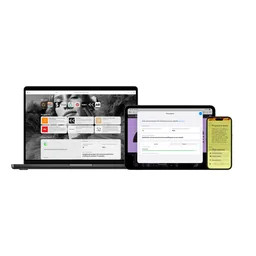
Safari: The best way to experience the internet on all your Apple devices

Google Chrome: Fast, secure browser built for the modern web
Microsoft Outlook: Email, calendars and contacts in one place, on desktop, mobile and web
Capabilities
Internet Explorer mode
Renders a listed set of internal sites with the MSHTML engine inside an Edge tab, supported through at least 2029
Enterprise Mode Site List
An administrator-maintained list that decides which URLs open in IE mode, deployable by policy
Entra ID integration
Signs in with a work account for single sign-on, conditional access and profile separation from personal browsing
Purview DLP for browsing
Applies Microsoft Purview data loss prevention policies to what users paste, print or upload in the browser
Intune and Group Policy
Several hundred policies configurable from Intune or ADMX templates across Windows and macOS
Vertical tabs and Workspaces
Tab list down the side, and shared named tab sets that a group can open together
Sleeping tabs
Suspends background tabs after a timeout to reduce memory and CPU use
Chrome extension compatibility
Installs extensions from the Chrome Web Store as well as Microsoft's own add-ons store
Answered, with sources
Each answer names the page it came from, so you can check it rather than take our word for it.
In the European Economic Area, yes, because the Digital Markets Act requires it. Elsewhere you cannot, and several Windows components will continue to open it regardless of your default browser.
Microsoft has committed to supporting IE mode in Edge through at least 2029. It is a migration window rather than a permanent home, since the underlying MSHTML engine gets security fixes but no new capability.
Yes. Edge installs extensions from the Chrome Web Store as well as its own store. Manifest V3 restrictions apply identically, so extensions that Chrome no longer supports do not work here either.
Usually not for the management features, which depend on Entra ID, Intune and Purview. Without that stack it is Chromium with a different interface and additional Microsoft promotion.
Yes, there are official Linux builds. Some Windows-specific features, including IE mode, are not available there.
Keep looking
An independent web browser with its own rendering engine, funded almost entirely by search placement deals.
Google's browser, built on Chromium, with the largest market share and the strictest limits on what extensions may do.
Apple's WebKit browser, available only on Apple operating systems and updated only with them.
Cloud native core banking where products are written as smart contracts
Product management system that helps you understand what customers need
The original open source framework for distributed storage and batch processing on commodity servers, now largely a legacy platform.
All-in-one workspace for notes, tasks, wikis, and databases
The data streaming platform built on Apache Kafka, delivered as a fully managed cloud service
An independent web browser with its own rendering engine, funded almost entirely by search placement deals.
Apple's WebKit browser, available only on Apple operating systems and updated only with them.
Softwr does not host reviews and shows no star rating for Microsoft Edge, because a rating we did not collect is not ours to publish. What is here is the pricing and platform detail from the vendor’s own pages, limitations we could state concretely, and alternatives a reviewer confirmed people weigh against it. Tell us if any of it is wrong.
What people switch to, and what they give up
Every tier, and where the cost actually lands
Put it head to head with anything we hold
Its rating, and an embed for your own site
Secure access for everyone
The digital analytics platform to understand your users
Apple's WebKit browser, available only on Apple operating systems and updated only with them.
free