
Customer Support · head to head
Document360 vs SoftSync AI

Document360
Customer Support
Self-service knowledge base software for product documentation
- From
- On request
- Free plan
- No
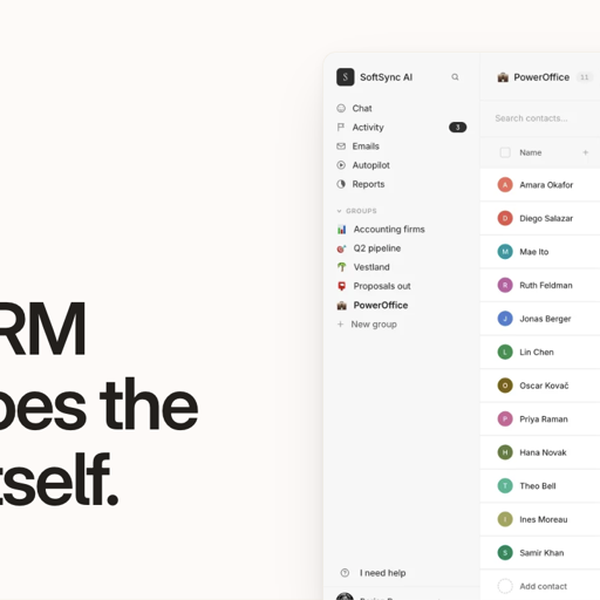
SoftSync AI
CRM
AI CRM + meeting assistant for founders
- From
- $29/month
- Free plan
- No
The short version
- SoftSync AI starts at $29/mo; Document360 prices on request.
- Only Document360 lists category Manager; only SoftSync AI lists flexible CRM records.
- Where Document360 falls short: no published flat-rate pricing makes it hard to compare costs upfront against competitors.
- Where SoftSync AI falls short: pro caps a workspace at 5 team members and 1 mailbox per user, so a team of six has to move to Business at $59 a seat billed yearly.
- Prices and features on this page were last checked on 12 November 2026.
Where they differ
Only the attributes on which Document360 and SoftSync AI actually diverge.
| Attribute | Document360 | SoftSync AI |
|---|---|---|
| Starting price | On request | $29/month |
| Pricing model | Quote | Subscription |
| Category | Customer Support | CRM |
Identical on both: free tier (No), platforms (Web).
What each one covers
Drawn from each product's published feature list. An absence here means we hold no record of it - not that the product lacks it.
Only in Document360
- Category Manager
- Eddy AI
- Article Revision History
- SSO & Role-Based Access
- Analytics
- Multi-language Support
- API Documentation Tools
Only in SoftSync AI
- Flexible CRM records
- Bot-free Note Taker
- MCP server
- AI Assistant and Autopilot
- REST API
- Email, campaigns and SMS
- Booking, documents and e-signature
- Lead database and Chrome extension
What people use each for
The jobs each tool is most often brought in to do.
Document360
- Product and API documentationnot SoftSync AI
- Internal knowledge managementnot SoftSync AI
- Customer self-service supportnot SoftSync AI
- Multi-language documentation portalsnot SoftSync AI
SoftSync AI
- Founder-led sales where meetings, follow-ups and the pipeline need to live in one recordnot Document360
- Turning call notes into CRM updates without a meeting bot in the callnot Document360
- Letting Claude or ChatGPT read and update CRM records over MCPnot Document360
- Replacing a separate booking tool, note taker, e-signature app and spreadsheet CRM for a small teamnot Document360
- Moving off a Notion or spreadsheet CRM while keeping custom fields and stagesnot Document360
Where each one falls short
Documented limitations, not opinions. Every one is a constraint you would hit in normal use.
Document360
- No published flat-rate pricing makes it hard to compare costs upfront against competitors
- Requires a sales quote process rather than instant self-service signup for paid plans
- Advanced AI features are usage-metered and may require additional purchases
- Smaller teams may find the enterprise-oriented feature set more complex than needed
SoftSync AI
- The Trust Centre describes ISO 27001 and SOC 2 Type II as "alignment" rather than certification, with documentation available on request (checked November 2026)
- Pro caps a workspace at 5 team members and 1 mailbox per user, so a team of six has to move to Business at $59 a seat billed yearly
- No free plan appears on the pricing page despite the homepage's "Start free" wording, and the Get access button leads to a demo booking page; trial terms are only shown at checkout
- The Note Taker is a desktop app for Mac and Windows only; no mobile or Linux capture is described
- The documentation and support URLs the vendor supplied (softsync.ai/docs and softsync.ai/support) returned 404 on 12 November 2026; the help centre lives at /resources/your-guide
Pricing, plan by plan
Document360
On request- CustomOn request
- Team accounts
- Workspaces
- Languages
SoftSync AI
$29/month- Pro$29/mo
- $29 a seat a month billed yearly, $39 billed monthly
- Up to 5 team members per workspace
- Flexible records, custom objects and fields
- Business$59/mo
- $59 a seat a month billed yearly, $79 billed monthly
- Everything in Pro
- Up to 25 team members and 5 mailbox connections per user
- EnterpriseOn request
- Custom pricing
- Custom team member, record, mailbox and usage limits
- Custom integrations and priority support
Which should you pick?
Choose SoftSync AI if
- You need flexible crm records.
- You also want bot-free note taker.
Questions people ask
- Is Document360 or SoftSync AI better?
- Neither clearly leads. Document360 starts at On request and SoftSync AI at $29/month, and user ratings are close enough to be indistinguishable. Choose on capability and platform support.
- Which is cheaper, Document360 or SoftSync AI?
- Document360 starts at On request and SoftSync AI at $29/month.
- Does Document360 or SoftSync AI run on more platforms?
- Both run on Web, so platform support will not decide this one for you.
- What is Document360 best used for?
- Document360 is most often used for product and api documentation, internal knowledge management, customer self-service support, multi-language documentation portals. Of those, product and api documentation and internal knowledge management are not what SoftSync AI is typically brought in for.
- What can Document360 do that SoftSync AI cannot?
- Document360 covers Category Manager, Eddy AI, Article Revision History, SSO & Role-Based Access. SoftSync AI covers Flexible CRM records, Bot-free Note Taker, MCP server, AI Assistant and Autopilot.
Answered from the vendors’ own pages
Document360: How is Document360 pricing determined?
Pricing is customized rather than tiered flat-rate, based on team accounts, workspaces, languages, SSO/security needs, knowledge base privacy model, and AI Suite usage.
SourceSoftSync AI: How much does SoftSync cost?
Pro is $29 a seat a month billed yearly or $39 monthly. Business is $59 a seat billed yearly or $79 monthly. Enterprise is custom priced. Prices exclude VAT.
SourceDocument360: Is there a free trial?
Yes, Document360 offers a 14-day free trial with full feature access and no credit card required.
SourceSoftSync AI: What is the difference between Pro and Business?
Both include the same CRM, meeting notes, AI Assistant, Autopilot, integrations, API and MCP access. Business raises capacity, from 5 to 25 team members and from 1 to 5 mailbox connections per user, and adds priority support and a workspace consultant.
SourceDocument360: What compliance and security features are included?
All plans include SOC 2 Type II compliance, SSL encryption, and security features such as roles, permissions, and SSO.
SourceSoftSync AI: Does the SoftSync note taker join meetings as a bot?
No. It is a desktop app for Mac and Windows that captures microphone and system audio from the computer, then produces a transcript and editable summary you attach to a CRM record.
SourceSoftSync AI: Can Claude or ChatGPT work with SoftSync?
Yes. SoftSync runs an MCP server that lets Claude, ChatGPT or Codex search records and take actions within the user's permissions, and a REST API of about sixty endpoints for custom code.
SourceSoftSync AI: Is SoftSync SOC 2 or ISO 27001 certified?
The Trust Centre lists ISO 27001 and SOC 2 Type II as frameworks the company aligns with, alongside GDPR, CCPA and the EU AI Act, and offers documentation on request by emailing support. It does not state a completed certification.
SourceRelated pages
More on Document360
More on SoftSync AI
Other head to heads
- Document360 vs Helpjuice
- Document360 vs Help Scout
- Document360 vs HelpCrunch
- Document360 vs Assembled
- Document360 vs Kapture CX
- Document360 vs Groove
- Document360 vs Freshworks Customer Service Suite
- Document360 vs Zoho Desk
- Document360 vs Calabrio ONE
- Document360 vs HappyFox
- Document360 vs HubSpot Service Hub
- Document360 vs Playvox
- Document360 vs Gladly
- Document360 vs Hiver
- Document360 vs Level AI
- Document360 vs LiveAgent
- Document360 vs ManageEngine ServiceDesk Plus
- Document360 vs Missive
- Document360 vs Folk
- Document360 vs Pipedrive
- Document360 vs HubSpot
- Document360 vs Attio
- Document360 vs Gong
- Document360 vs Streak
- Document360 vs Mixmax
- Document360 vs Scratchpad
- Document360 vs Outreach
- Document360 vs Apollo.io
- Document360 vs Zoho CRM
- Document360 vs Clari
- Document360 vs Seismic
- Document360 vs Clay
- Document360 vs Lusha
- Document360 vs LeadSquared
- Document360 vs Vtiger
- Document360 vs Bitrix24
- SoftSync AI vs Helpjuice
- SoftSync AI vs Help Scout
- SoftSync AI vs HelpCrunch
- SoftSync AI vs Assembled
- SoftSync AI vs Kapture CX
- SoftSync AI vs Groove
- SoftSync AI vs Freshworks Customer Service Suite
- SoftSync AI vs Zoho Desk
- SoftSync AI vs Calabrio ONE
- SoftSync AI vs HappyFox
- SoftSync AI vs HubSpot Service Hub
- SoftSync AI vs Playvox
- SoftSync AI vs Gladly
- SoftSync AI vs Hiver
- SoftSync AI vs Level AI
- SoftSync AI vs LiveAgent
- SoftSync AI vs ManageEngine ServiceDesk Plus
- SoftSync AI vs Missive
- SoftSync AI vs Folk
- SoftSync AI vs Pipedrive
- SoftSync AI vs HubSpot
- SoftSync AI vs Attio
- SoftSync AI vs Gong
- SoftSync AI vs Streak
- SoftSync AI vs Mixmax
- SoftSync AI vs Scratchpad
- SoftSync AI vs Outreach
- SoftSync AI vs Apollo.io
- SoftSync AI vs Zoho CRM
- SoftSync AI vs Clari
- SoftSync AI vs Seismic
- SoftSync AI vs Clay
- SoftSync AI vs Lusha
- SoftSync AI vs LeadSquared
- SoftSync AI vs Vtiger
- SoftSync AI vs Bitrix24