 Cronitorvs
 Healthchecks
Healthchecks: Simpler cron job monitoring with lower starting costs

Monitoring for cron jobs, websites, and background tasks
As of 29 August 2026, Cronitor has a free plan and paid plans start at $2/monitor/month. Cronitor is a monitoring platform that tracks the status, performance, and health of cron jobs, background tasks, websites, and APIs. Softwr lists it under Logging. Cronitor is launched in 2014, available on Web, API.
Overview
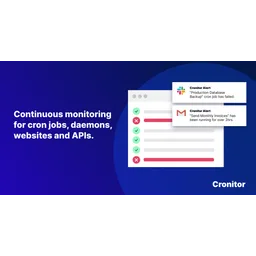
Cronitor monitors backend infrastructure for developers and operations teams, tracking cron jobs, background tasks, websites, and APIs across multiple global regions. The platform captures execution status, metrics, and logs, then delivers automatic alerts when issues occur—preventing the silent failures that plague background job orchestration. Users integrate monitoring by sending heartbeats from their jobs to Cronitor's ping endpoints, and the service detects when expected pings don't arrive. The platform serves over 70,000 developers across startups and enterprises, providing five core monitoring tools: cron job monitoring, website and API uptime checks, heartbeat monitoring for infrastructure health, website analytics combining traffic and errors, and hosted status pages for communicating incidents to customers.
The honest half
Concrete and checkable, so you can decide whether any of them matter to you. This is the half of a review a vendor will not write about Cronitor.
Cross-shopped
Each pairing was judged by two reviewers asking whether a buyer would genuinely weigh the two against each other. The ones that failed were deleted rather than published.
Healthchecks: Simpler cron job monitoring with lower starting costs
Openstatus: Status page and uptime monitoring with compliance focus

Datadog: Enterprise monitoring platform with broader observability
Pricing
Taken from the vendor's own pricing page. Prices move, so check before you buy.
Hacker
Free
Business
$2 /monitor/month
Enterprise
$6,000 /yr
Capabilities
Cron job monitoring
Track execution status and metrics for scheduled tasks
Uptime and performance checks
Monitor websites and APIs from 12+ global regions
Heartbeat monitoring
Health checks for infrastructure and system events
Status pages
Public or internal pages to communicate service reliability
Real-user monitoring
Analytics combining traffic, errors, and performance data
Alert integrations
12+ channels including Slack, Gmail, PagerDuty, and SMS
Email reports
Automatic scheduled email reports across all plans
Answered, with sources
Each answer names the page it came from, so you can check it rather than take our word for it.
Business plan costs $2 per monitor per month plus $5 per user per month, billed monthly based on actual usage.
SourceHacker plan ($0/month) includes 5 monitors and basic Slack/email alerts. Business plan ($2/monitor/month) offers unlimited monitors, 30-second checks, 10 integrations, 12-month retention, and email reports.
SourceYes, Cronitor provides a 14-day free trial on the Business plan without requiring a credit card.
SourceBehind it
Keep looking
Status pages with uptime monitoring and compliance-ready incident tracking
Active reliability platform combining uptime monitoring, API testing, and incident response
Website monitoring and uptime checker with 80+ global monitoring points
All-in-one incident management for alerting, on-call, and response
Purpose-built time series database for metrics and events
LLM reliability platform with open-source observability and evaluation
Software reliability platform with on-call management and agentic root cause analysis
A Lightweight and Ultra-Fast Tool for Building Observability Pipelines
Website monitoring and uptime checker with 80+ global monitoring points
LLM reliability platform with open-source observability and evaluation
Softwr does not host reviews and shows no star rating for Cronitor, because a rating we did not collect is not ours to publish. What is here is the pricing and platform detail from the vendor’s own pages, limitations we could state concretely, and alternatives a reviewer confirmed people weigh against it. Tell us if any of it is wrong.
What people switch to, and what they give up
Every tier, and where the cost actually lands
Put it head to head with anything we hold
Its rating, and an embed for your own site
Software reliability platform with on-call management and agentic root cause analysis
subscriptionStatus pages with uptime monitoring and compliance-ready incident tracking
LLM reliability platform with open-source observability and evaluation
Freemium with pay-as-you-go enterprise optionActive reliability platform combining uptime monitoring, API testing, and incident response
subscription