
Cybersecurity · head to head
LogicManager vs Uptime.com

LogicManager
Cybersecurity
Enterprise risk management priced as a flat fee with unlimited users
- From
- On request
- Free plan
- No
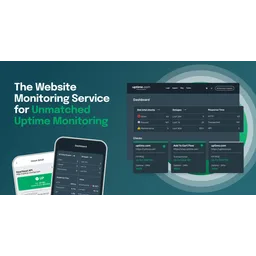
Uptime.com
Logging
Website monitoring and uptime checker with 80+ global monitoring points
- From
- $9/month
- Free plan
- No
The short version
- Uptime.com is a website and API monitoring service.
- Uptime.com starts at $9/mo; LogicManager prices on request.
- Only LogicManager lists risk taxonomy; only Uptime.com lists website monitoring.
- Where Uptime.com falls short: pricing structure not fully detailed publicly.
- Prices and features on this page were last checked on 25 November 2026.
How do LogicManager and Uptime.com differ?
LogicManager and Uptime.com differ on starting price (On request against $9/month), pricing model (Quote against Subscription) and platforms (Web against Web, API). Only the attributes on which LogicManager and Uptime.com actually diverge.
| Attribute | LogicManager | Uptime.com |
|---|---|---|
| Starting price | On request | $9/month |
| Pricing model | Quote | Subscription |
| Platforms | Web | Web, API |
| Category | Cybersecurity | Logging |
Identical on both: free tier (No).
Not yet recorded: founded for LogicManager.
Which features does each one have?
They share no listed features; 8 appear only for LogicManager and 8 only for Uptime.com. Drawn from each product's published feature list. An absence here means we hold no record of it - not that the product lacks it.
Only in LogicManager
- Risk taxonomy
- Unlimited users
- Risk assessments
- Third-party risk
- Internal audit
- Policy management
- Incident management
- Advisory support
Only in Uptime.com
- Website monitoring
- API monitoring
- Synthetic monitoring
- Page speed testing
- Real User Monitoring
- Status pages
- Private locations
- Global network
What is each one used for?
Uptime.com is most often brought in for monitor website availability across multiple global locations. The jobs each tool is most often brought in to do.
LogicManager
- A mid-sized bank or credit union that needs every department head contributing to risk assessment without paying for a seat eachnot Uptime.com
- A risk team replacing a spreadsheet register that cannot show which controls a given vendor failure would affectnot Uptime.com
- An organisation preparing for a regulatory examination that must evidence a linked risk, control and issue trailnot Uptime.com
- A company consolidating separate vendor risk, policy and audit tools onto one taxonomy so findings are not duplicatednot Uptime.com
Uptime.com
- Monitor website availability across multiple global locationsnot LogicManager
- Test API endpoints and validate response timesnot LogicManager
- Verify DNS resolution and certificate validitynot LogicManager
- Track page load performance over timenot LogicManager
- Send alerts to teams when issues occurnot LogicManager
Where do LogicManager and Uptime.com fall short?
Uptime.com's most cited limit: pricing structure not fully detailed publicly. Documented limitations, not opinions. Every one is a constraint you would hit in normal use.
LogicManager
- The flat fee is quoted per organisation and not published, so the pricing model that makes LogicManager attractive still cannot be compared without a sales process
- Configuration depth means the taxonomy has to be designed properly before rollout, and organisations that skip that step end up with a structure that cannot answer the linkage questions the tool exists to answer
- Reporting and dashboarding are functional rather than flexible, and teams wanting bespoke board reporting commonly export to Power BI, which reintroduces the manual step they were removing
- Quantitative risk modelling is limited compared with specialist tools, so organisations needing Monte Carlo style loss simulation will need something else alongside it
- The user interface is dated relative to newer compliance automation tools, and infrequent business users often need repeat training, which erodes the participation benefit that unlimited licensing is supposed to deliver
Uptime.com
- Pricing structure not fully detailed publicly
- Limited information on check frequency in basic plans
- Real User Monitoring and status pages require add-ons
- Lower-tier plans may have feature limitations
How much do LogicManager and Uptime.com cost?
LogicManager is priced on request; Uptime.com starts at $9/mo. Plan by plan below, from each vendor's own pricing page.
LogicManager
On request- LogicManager PlatformOn request
- Fixed annual fee, unlimited users
- Risk, audit, vendor, policy and incident modules
- Advisory analyst support included
Uptime.com
$9/monthNo published plan breakdown. See the Uptime.com review.
Which should you pick?
Choose Uptime.com if
- You need website monitoring.
- You work on Web, API.
- You also want api monitoring.
Questions people ask
- Is LogicManager or Uptime.com better?
- Neither clearly leads. LogicManager starts at On request and Uptime.com at $9/month, and user ratings are close enough to be indistinguishable. Choose on capability and platform support.
- Which is cheaper, LogicManager or Uptime.com?
- LogicManager starts at On request and Uptime.com at $9/month.
- Does LogicManager or Uptime.com run on more platforms?
- LogicManager runs on Web. Uptime.com runs on Web, API.
- What is LogicManager best used for?
- LogicManager is most often used for a mid-sized bank or credit union that needs every department head contributing to risk assessment without paying for a seat each, a risk team replacing a spreadsheet register that cannot show which controls a given vendor failure would affect, an organisation preparing for a regulatory examination that must evidence a linked risk, control and issue trail, a company consolidating separate vendor risk, policy and audit tools onto one taxonomy so findings are not duplicated. Of those, a mid-sized bank or credit union that needs every department head contributing to risk assessment without paying for a seat each and a risk team replacing a spreadsheet register that cannot show which controls a given vendor failure would affect are not what Uptime.com is typically brought in for.
- What can LogicManager do that Uptime.com cannot?
- LogicManager covers Risk taxonomy, Unlimited users, Risk assessments, Third-party risk. Uptime.com covers Website monitoring, API monitoring, Synthetic monitoring, Page speed testing.
Answered from the vendors’ own pages
LogicManager: Is LogicManager really unlimited users?
Yes. It licences on a fixed annual fee covering the organisation rather than per seat, which is the main reason mid-market buyers pick it.
Uptime.com: Does Uptime.com offer a money-back guarantee?
Yes, Uptime.com provides a 30-day money-back guarantee for new users, allowing risk-free trial of their service.
SourceLogicManager: What does it cost?
Not published. Mid-market ERM platforms of this class typically sit in the low tens of thousands of dollars a year, quoted by scope.
Uptime.com: What alerting methods does Uptime.com support?
All plans include email and SMS alerting with 20+ integrations available including Slack, Teams, PagerDuty, and webhooks for custom integrations.
SourceLogicManager: Is it a compliance automation tool like Drata?
No. It is enterprise risk management with audit and vendor risk, not continuous control monitoring for SOC 2 evidence collection.
Uptime.com: How many monitoring locations does Uptime.com have?
Uptime.com operates 80+ monitoring locations worldwide, enabling checks from multiple geographic regions to detect regional connectivity issues.
SourceLogicManager: How long does implementation take?
Weeks to a few months, far shorter than the enterprise GRC suites, provided the risk taxonomy is agreed up front.
Related pages
More on LogicManager
Other head to heads
- LogicManager vs Resolver
- LogicManager vs Diligent
- LogicManager vs MetricStream
- LogicManager vs Drata
- LogicManager vs Silent Eight
- LogicManager vs NICE Actimize
- LogicManager vs Rhombus Systems
- LogicManager vs Trend Micro Vision One
- LogicManager vs Trulioo
- LogicManager vs IBM QRadar
- LogicManager vs VMware Carbon Black
- LogicManager vs Motorola Vigilant
- LogicManager vs SonicWall
- LogicManager vs Syft
- LogicManager vs Tenable Nessus
- LogicManager vs Trellix
- LogicManager vs Trivy
- LogicManager vs TrustArc
- LogicManager vs Checkly
- LogicManager vs Atlassian Statuspage
- LogicManager vs UptimeRobot
- LogicManager vs StatusCake
- LogicManager vs Site24x7
- LogicManager vs Better Stack
- LogicManager vs Cronitor
- LogicManager vs Sentry
- LogicManager vs PagerDuty
- LogicManager vs New Relic
- LogicManager vs Datadog
- LogicManager vs InfluxDB
- LogicManager vs Filebeat
- LogicManager vs FireHydrant
- LogicManager vs Fluent Bit
- LogicManager vs Raygun
- LogicManager vs Logstash
- LogicManager vs Fluentd
- Uptime.com vs Resolver
- Uptime.com vs Diligent
- Uptime.com vs MetricStream
- Uptime.com vs Drata
- Uptime.com vs Silent Eight
- Uptime.com vs NICE Actimize
- Uptime.com vs Rhombus Systems
- Uptime.com vs Trend Micro Vision One
- Uptime.com vs Trulioo
- Uptime.com vs IBM QRadar
- Uptime.com vs VMware Carbon Black
- Uptime.com vs Motorola Vigilant
- Uptime.com vs SonicWall
- Uptime.com vs Syft
- Uptime.com vs Tenable Nessus
- Uptime.com vs Trellix
- Uptime.com vs Trivy
- Uptime.com vs TrustArc
- Uptime.com vs Checkly
- Uptime.com vs Atlassian Statuspage
- Uptime.com vs UptimeRobot
- Uptime.com vs StatusCake
- Uptime.com vs Site24x7
- Uptime.com vs Better Stack
- Uptime.com vs Cronitor
- Uptime.com vs Sentry
- Uptime.com vs PagerDuty
- Uptime.com vs New Relic
- Uptime.com vs Datadog
- Uptime.com vs InfluxDB
- Uptime.com vs Filebeat
- Uptime.com vs FireHydrant
- Uptime.com vs Fluent Bit
- Uptime.com vs Raygun
- Uptime.com vs Logstash
- Uptime.com vs Fluentd