
Databases · head to head
Estuary vs Tinybird
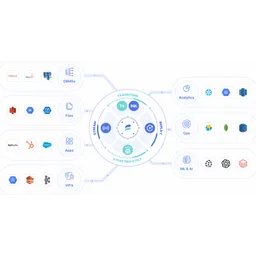
Estuary
Databases
Real-time data integration combining streaming, CDC, and batch
- From
- Free
- Rated
- -

Tinybird
Databases
Managed ClickHouse with a workflow that turns SQL queries into hosted HTTP APIs
- From
- Free
- Rated
- -
The short version
- Each has a real cost: Estuary per-GB pricing adds up quickly for high-volume scenarios; Tinybird it is ClickHouse underneath, so it inherits ClickHouse limits: multi-table joins degrade badly at scale, updates and deletes are expensive mutations rather than cheap operations, and a poorly chosen sorting key at table creation cannot be fixed without rebuilding the data.
- They diverge on capability: Estuary covers Real-time data delivery, Tinybird covers Managed ClickHouse.
- Prices and features above were last checked on 31 August 2026.
Where they differ
Only the attributes on which Estuary and Tinybird actually diverge.
Identical on both: starting price (Free), free tier (Yes), user rating (Not yet rated), category (Databases).
What each one covers
Drawn from each product's published feature list. An absence here means we hold no record of it - not that the product lacks it.
Only in Estuary
- Real-time data delivery
- Change data capture
- Batch processing
- Data transformation
- Pre-built connectors
- Multiple deployments
- RBAC and monitoring
Only in Tinybird
- Managed ClickHouse
- Pipes as APIs
- Events HTTP endpoint
- Streaming connectors
- Materialized views
- Git-based workflow
- Token-scoped auth
- Observability
What people use each for
The jobs each tool is most often brought in to do.
Estuary
- Real-time data replication to data warehousesnot Tinybird
- Change data capture from operational databasesnot Tinybird
- Feeding analytics and BI systems with fresh datanot Tinybird
- Powering real-time AI and ML data pipelinesnot Tinybird
Tinybird
- A SaaS product adding a per-customer usage dashboard that must render in under a second across billions of eventsnot Estuary
- A team building rate limiting or fraud checks that need an aggregate over the last few minutes returned inside a request cyclenot Estuary
- A data team offloading interactive operational dashboards from Snowflake, where per-query warehouse cost makes constant refresh untenablenot Estuary
- A game or ad-tech company ingesting a high-volume event stream and exposing live counters back to customers through an APInot Estuary
Where each one falls short
Documented limitations, not opinions. Every one is a constraint you would hit in normal use.
Estuary
- Per-GB pricing adds up quickly for high-volume scenarios
- No transparent per-connector volume discounts below 6 connectors
- Limited to data movement; transformation capabilities are basic
- BYOC and private deployment requires enterprise plan
- Smaller ecosystem compared to established alternatives
Tinybird
- It is ClickHouse underneath, so it inherits ClickHouse limits: multi-table joins degrade badly at scale, updates and deletes are expensive mutations rather than cheap operations, and a poorly chosen sorting key at table creation cannot be fixed without rebuilding the data.
- Compute is metered per vCPU-second with overage at 0.0002 USD per second, so an inefficient query shipped to production shows up directly on the invoice rather than merely running slowly.
- Only the Enterprise tier gets horizontal scaling and dedicated infrastructure; Free, Developer and SaaS all run on shared infrastructure with vertical scaling only, which caps both isolation and headroom for anyone not on a custom contract.
- Storage is billed at 0.058 USD per gigabyte on top of compute, and egress is charged separately at 0.01 USD per gigabyte intra-cloud and 0.10 USD inter-cloud, so a high-fanout API serving many small responses accrues costs in three places at once.
- You are building on a proprietary workflow around an open database: the pipes, tokens and API layer are Tinybird specific, so leaving means keeping your data but rewriting the entire serving layer you adopted Tinybird to avoid writing.
Pricing, plan by plan
Estuary
Free- DeveloperFree
- 10 GB per month
- 2 connector instances maximum
- No credit card required
- Cloud$0.5/GB
- $0.50 per GB of data moved
- $100 per connector monthly (6+ connectors $50 each)
- 200+ connectors
- Enterprise$null/custom
- Volume-based discounts
- SOC 2 and HIPAA compliance
- SSO authentication
Tinybird
Free- FreeFree
- 0.25 vCPU on shared infrastructure
- 10 GB storage included
- 1,000 requests per day
- Developer$25/month
- 0.5 vCPU scaling to 8 vCPU
- 25 GB storage included
- Two replicas
- SaaS$undefined/month
- Up to 32 vCPU
- 500 GB storage included
- Four to sixteen threads per request
- Enterprise$undefined/year
- Unlimited vCPU and bottomless storage
- Dedicated infrastructure and private regions
- Vertical and horizontal scaling
Which should you pick?
Choose Estuary if
- You need real-time data delivery.
- You want to start without paying.
- You work on Cloud, Private Cloud, BYOC.
- You also want change data capture.
Choose Tinybird if
- You need managed clickhouse.
- You want to start without paying.
- You work on Web, Cloud, Linux, macOS.
- You also want pipes as apis.
Questions people ask
- Is Estuary or Tinybird better?
- Neither clearly leads. Estuary starts at Free and Tinybird at Free, and user ratings are close enough to be indistinguishable. Choose on capability and platform support.
- Which is cheaper, Estuary or Tinybird?
- Estuary starts at Free and Tinybird at Free.
- Does Estuary or Tinybird run on more platforms?
- Estuary runs on Cloud, Private Cloud, BYOC. Tinybird runs on Web, Cloud, Linux, macOS.
- Can I use Estuary for free?
- Both have a free tier, so you can try either at no cost before committing.
- What is Estuary best used for?
- Estuary is most often used for real-time data replication to data warehouses, change data capture from operational databases, feeding analytics and bi systems with fresh data, powering real-time ai and ml data pipelines. Of those, real-time data replication to data warehouses and change data capture from operational databases are not what Tinybird is typically brought in for.
- What can Estuary do that Tinybird cannot?
- Estuary covers Real-time data delivery, Change data capture, Batch processing, Data transformation. Tinybird covers Managed ClickHouse, Pipes as APIs, Events HTTP endpoint, Streaming connectors.
Answered from the vendors’ own pages
Estuary: What is included in the free Developer plan?
Developer plan ($0/month) includes 10 GB of data per month and up to 2 connector instances, no credit card required.
SourceTinybird: Is Tinybird just hosted ClickHouse?
No. The database is ClickHouse, but the product is the layer above it: publishing parameterised SQL as authenticated, rate-limited REST endpoints without writing an API server.
Estuary: How is data pricing calculated on Cloud plan?
Cloud plan charges $0.50 per GB of data moved plus $100/month per connector for the first 6 connectors, then $50/month for additional connectors.
SourceTinybird: What does it actually cost?
Free tier at 1,000 requests a day, Developer from 25 USD a month, then compute at 0.0002 USD per vCPU-second and storage at 0.058 USD per gigabyte. Higher tiers are quoted.
Estuary: What discount is available when adding 6+ connectors?
When using 6 or more connectors, the per-connector cost drops to $50/month from $100/month, saving $50 per additional connector.
SourceTinybird: Can I run it on my own infrastructure?
Only on Enterprise, which offers dedicated infrastructure and private regions. Lower tiers are shared multi-tenant cloud.
Tinybird: Does it handle updates and deletes?
Poorly, as ClickHouse does. Design for append-only event data; frequent mutation is the wrong workload for this engine.
Related pages
Other head to heads
- Estuary vs Fivetran HVR
- Estuary vs Apache Druid
- Estuary vs ClickHouse
- Estuary vs Materialize
- Estuary vs Firebase Realtime Database
- Estuary vs SingleStore
- Estuary vs Timeplus
- Estuary vs NATS
- Estuary vs QuestDB
- Estuary vs Vitess
- Estuary vs Aiven
- Estuary vs BigQuery
- Estuary vs CosmosDB
- Estuary vs DataStax
- Estuary vs Apache Pinot
- Estuary vs Apache Flink
- Estuary vs Apache Kafka
- Estuary vs RisingWave
- Estuary vs Amazon Redshift
- Estuary vs Typesense
- Estuary vs Meilisearch
- Estuary vs SurrealDB
- Estuary vs Teradata
- Estuary vs TIBCO Enterprise Message Service
- Estuary vs turbopuffer
- Estuary vs VerneMQ
- Estuary vs Apache Doris
- Tinybird vs Fivetran HVR
- Tinybird vs Apache Druid
- Tinybird vs ClickHouse
- Tinybird vs Materialize
- Tinybird vs Firebase Realtime Database
- Tinybird vs SingleStore
- Tinybird vs Timeplus
- Tinybird vs NATS
- Tinybird vs QuestDB
- Tinybird vs Vitess
- Tinybird vs Aiven
- Tinybird vs BigQuery
- Tinybird vs CosmosDB
- Tinybird vs DataStax
- Tinybird vs Apache Pinot
- Tinybird vs Apache Flink
- Tinybird vs Apache Kafka
- Tinybird vs RisingWave
- Tinybird vs Amazon Redshift
- Tinybird vs Typesense
- Tinybird vs Meilisearch
- Tinybird vs SurrealDB
- Tinybird vs Teradata
- Tinybird vs TIBCO Enterprise Message Service
- Tinybird vs turbopuffer
- Tinybird vs VerneMQ
- Tinybird vs Apache Doris