Softwr

Category

The best Email Clients software

Email clients are the apps people use to read, write and organise email across one or more accounts, on desktop, mobile and the web. The category covers the apps built into operating systems and email services, independent desktop clients that unify many accounts, privacy-focused clients with encryption, and AI-assisted inboxes that triage and draft replies. Buyers usually compare account and protocol support (Gmail, Outlook, IMAP, Exchange), unified inbox and search, offline use, privacy and encryption, AI features, platform coverage and whether the app is free, a subscription or a one-time licence.

Tools listed
25

All 25 email clients tools

Every listing shows its published starting price on the same footing, so a shortlist does not take ten tabs.

Advertise: Feature your product in Email Clients, from $5 a week. See placements

Edison Mail logo

Edison Mail

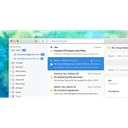
Free multi-account email app with unified inbox, snooze and spy pixel blocking

Free

Spike logo

Spike

Email client that presents messages as conversations, with notes, tasks and video calls

From $6/mo
Mailspring logo

Mailspring

Open-source desktop email client with a paid Pro tier

From $8/mo
MailMate logo

MailMate

Keyboard-driven IMAP email client for macOS

From $10/3 months
Mailbird logo

Mailbird

Desktop and mobile email client with a free single-account tier

From $69/yr
eM Client logo

eM Client

Desktop email client with calendar, tasks and a free tier for two accounts

From $49.95/yr
Apple Mail logo

Apple Mail

Email app bundled with Apple operating systems

Free
Airmail logo

Airmail

Email client for Mac, iPhone and iPad with a paid Pro subscription

Free
Zoho Mail logo

Zoho Mail

Business email hosting on your own domain from Zoho

From $1/mo
Yahoo Mail logo

Yahoo Mail

Free webmail service from Yahoo with an optional paid tier

Free
Mozilla Thunderbird logo

Mozilla Thunderbird

Free open source desktop and Android email client with calendar and contacts

Free
Gmail logo

Gmail

Google's email service for personal accounts and Google Workspace

Free
Bluemail logo

Bluemail

Free multi-account email client from Blix with unified inbox, smart filters and calendar

Free
Canary Mail logo

Canary Mail

Security-focused AI email client with end-to-end encryption and a lifetime purchase option

Free, then $36/yr
Fastmail logo

Fastmail

Paid email hosting with custom domains, calendar and contacts, run without ad-based revenue

From $3/mo
HEY logo

HEY

Flat annual subscription email service from 37signals, with its own hey.com domain and a distinctive Screener

From $99/yr
Mimestream logo

Mimestream

Native Mac email client built specifically for Gmail and Google Workspace accounts, and nothing else

From $4.99/mo
Spark Mail logo

Spark Mail

AI-assisted email client from Readdle with a Smart Inbox and team collaboration features

Free, then $7.99/mo
Shortwave logo

Shortwave

AI-powered email assistant for intelligent inbox management

From $30/mo
Front logo

Front

Where teams collaborate on customer communication

From $25/mo
Microsoft Outlook logo

Microsoft Outlook

Microsoft's email and calendar client, in the middle of a transition from the classic Windows application to a web-based replacement.

From $1.99/mo
Missive logo

Missive

Team inbox and chat for productive teams

Free, then $14/mo
Proton Mail logo

Proton Mail

Secure email that protects your privacy

From $4.99/mo
Superhuman logo

Superhuman

Email experience ever made

From $30/mo
Tuta logo

Tuta

Secure, green and ad-free. Email to feel good about.

Free, then €3/mo

What email clients software costs

Counted from the published pricing of the 25 listings on this page. A tool counts as free only where it publishes a $0 plan, an open-source licence or a starting price of zero.

Cheapest paid plan
$1Zoho Mail
Median entry price
$9across 18 priced
Dearest entry price
$69Mailbird
Publish a $0 plan
16of 25

Paid email clients plans in this set start anywhere from $1 a month for Zoho Mail to $69 for Mailbird. The median entry price across the 18 tools that publish one is $9, half of them start below that figure and half above it.

Entry price is not the ceiling. The dearest published tier anywhere in this category is HEY's at $179 a month, 2.6× the highest entry price on the page. Read the top of each ladder as well as the bottom, because that is where you land after two years of growth.

16 of 25 publish a $0 plan, and 4 of those charge nothing at all. 6 tools have no free tier of any kind.

1 of 25 keep at least one tier unpriced and sold by quote, which in practice means the number you end up paying at the top end is not on this page or on theirs.

Zoho Mail pricingMailbird pricingHEY plans

How these vendors bill

The billing model each of the 25 email clients listings publishes, counted. Two tools at the same headline price are not the same purchase if one of them charges per seat.

freemium
10
Per user per month
4
subscription
4
free
2
open-source
1
Per user per year, or one-time purchase
1
quote
1

Separately, 1 of 25 publish at least one tier with no price attached. Those are sold by quote, so the top of the ladder is negotiable, and unknowable, until you talk to sales.

What comes as standard, and what you pay extra for

Every capability named in a published pricing tier by any of the 12 email clients tools here that break their plans down, counted once per vendor. This measures what vendors choose to advertise as a selling point, not everything the software does, an absence below is silence, not a missing feature.

Named most often

  • Priority support , 4 of 12
  • Advanced security features , 2 of 12
  • AI Copilot and summaries , 2 of 12
  • Calendar and scheduling , 2 of 12
  • Shared inboxes , 2 of 12

Named by fewer

Nothing else is named by more than one vendor, beyond the list on the left, no two of these tools describe their tiers the same way.

Named by exactly one vendor: Ad-free experience, Basic features, Email & chat, Multiple custom domains, Rules & automation, Summaries and attachment analysis. Those are differentiators rather than table stakes.

What “Email Clients” covers in practice

The subject tags that recur across these 25 listings, with the number of tools carrying each. A category label is a filing decision; this is the closer read of what is actually filed under it.

  • Email Client12
  • email7
  • productivity5
  • team-inbox3
  • ai-email2
  • apple2
  • calendar2
  • Custom Domain2
  • Desktop Email2
  • modern2
  • Open Source2
  • privacy2

Carried by a single tool: 37signals, automation, collaborative, Email Hosting, Free Email App, Linux, Multi Account, premium. If one of those is the reason you are here, the category page is the wrong lens, go straight to that product.

How to choose between them

Four things the numbers above should change about your shortlist.

Start with the free tiers if there are enough of them

16 of 25 email clients tools here publish a $0 plan, which is enough to run a real trial without a purchase order. A free tier is worth more than a free trial when you are evaluating: a trial expires on the vendor's schedule, a free plan expires when you outgrow it. The thing to check before you commit is which of the capabilities below sit above the free line, starting with priority support, the single most frequently named capability in this category's published tiers.

Read the spread before you read the features

$1 to $69 is a $68 spread on entry price alone, and a spread that wide is never about polish, it is about who the vendor built for. Tools at the bottom of this ladder are priced for one person or a small team; tools near $69 are priced for a department with a procurement process. Decide which of those you are before you compare capability, or you will shortlist four tools that were never competing for the same buyer.

Check which tier you actually land on

13 of 25 tools here publish three or more tiers, and the median vendor in this category ships 3 of them. The advertised price is the first rung, and the things teams tend to need, priority support, advanced security features, ai copilot and summaries, are named in higher plans far more often than in entry ones. Price your shortlist at the tier that contains what you need, not at the tier on the pricing page's left edge.

The billing model matters more than the headline number

This category splits across 7 billing models: freemium on 10 listings, Per user per month on 4, and 5 other arrangements across the rest. A per-user price and a flat subscription at the same headline figure are not the same purchase, the first one grows with headcount and the second does not. Multiply by your real team size before you compare two numbers side by side.

Compare email clients tools directly

Every pairing below is a full comparison: the same checklist applied to both, so a gap in one is a gap in the other.

Go straight to the numbers

Questions people ask about email clients software

Answered from the listings on this page, and nowhere else.

How much does email clients software cost?
Across the 25 email clients tools listed here, paid plans start between $1 and $69 a month, with a median entry price of $9. The most expensive single tier published in the category is $179 a month (HEY). 16 of 25 also publish a $0 plan.
What is the cheapest email clients software?
4 of the 25 tools listed here cost nothing at all. Among the ones that charge, Zoho Mail has the lowest published entry price at $1 a month. Cheapest and best value are different questions: check which tier the capability you need actually appears in before you compare starting prices.
Is there free email clients software?
Yes, 16 of 25 tools in this category publish a plan priced at $0. 4 of them are free outright, with no paid tier above. A tool is only counted as free here when it publishes a $0 plan, an open-source licence, or a starting price of zero, a free trial does not count.
What features should email clients software have?
Judging by what vendors put in their own published pricing tiers, the most frequently named capabilities in this category are priority support (4 of 12 tools that publish plan detail), advanced security features (2) and ai copilot and summaries (2). Treat those as the category baseline. Anything named by only one vendor, such as ad-free experience or basic features, is a differentiator rather than a standard, so it is worth deciding whether you need it before it narrows your shortlist to one.
How is email clients software usually billed?
freemium (10), Per user per month (4), subscription (4), free (2), plus 3 less common arrangements, counted across the 25 listings on this page. The distinction that costs money is per-seat versus flat: a per-user plan at the same headline price scales with your headcount and a flat subscription does not. 1 of 25 tools also keep at least one tier unpriced and sold by quote.
What does email clients software actually cover?
The 25 tools on this page do not describe themselves the same way. The subject tags they carry most often are email client (12), email (7), productivity (5), team-inbox (3), ai-email (2). That spread is the honest answer to what the category means in practice: it is not one product shape, and two tools filed under email clients may overlap on very little.
How many pricing tiers do email clients tools offer?
20 of 25 tools here publish a plan breakdown, and the median one has 3 tiers. 13 of 25 publish three or more. More tiers is not generosity, it usually means the capability you are buying for sits two rungs above the advertised price, so price your shortlist at the tier that contains it.
How many email clients tools are listed on Softwr?
25 approved email clients listings appear on this page, including Edison Mail, Spike, Mailspring, MailMate. Each links to a full breakdown with its pricing tiers and plan detail, and the category can be filtered by price and sorted by rating above. You can also read the shortlist view at /best/email-clients, which ranks the same set by published rating.

Keep this

Email me these 25 picks

The shortlist for “Email Clients”, plus a note if any of their prices change.

One email. Unsubscribe in a click.

Keep reading