GoToMyPC vs LogMeIn Pro
LogMeIn Pro: Sister GoTo product with a similar remote access model and multi-computer plans

Subscription remote access to your own PC from any device, with file transfer and printing
As of 27 November 2026, GoToMyPC's pricing is not published; the vendor quotes on request. GoToMyPC lets you reach your home or office computer's files and apps from a browser or mobile app, with file transfer, remote printing and guest invites. Softwr lists it under Remote Desktop Software. GoToMyPC is made by GoTo, available on Web, iOS, Android.
Overview
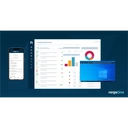
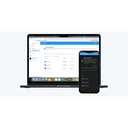
GoToMyPC is remote desktop software that connects you to your home or office computer's files, applications and network through an online portal or desktop app, as if you were sitting at your desk. After installing the host software on the computer, you press Connect from any device. The vendor lists screen-sharing viewer, drag-and-drop file transfer, remote printing, guest invite and connectivity monitoring, with mobile apps for iPad, iPhone and Android over 3G, 4G, 5G and Wi-Fi, including mouse control, zoom and full keyboard. The protocol is designed to work with dynamic and static IP addresses, NAT and firewalls, so it fits existing networks. It can also be used for technical support. GoToMyPC launched in 1998 from ExpertCity, was acquired by Citrix in 2004 and then passed to LogMeIn in 2017, now called GoTo, and has had Personal, Pro and Corporate versions. It is sold by subscription with free 24/7 support. Because each plan is tied to specific host computers, it fits individuals and small teams reaching their own machines more than large support desks.
The honest half
The limits buyers hit most with GoToMyPC: no price shown on the product page, plans are viewed at checkout; and built to reach your own computers rather than run a support desk. Each is concrete and checkable: the half of a review a vendor will not write.
Cross-shopped
The closest alternatives to GoToMyPC are LogMeIn Pro, RemotePC and Splashtop. Each is a tool buyers genuinely weigh against it, with the reason why.
LogMeIn Pro: Sister GoTo product with a similar remote access model and multi-computer plans
RemotePC: Per-plan remote access to a set number of computers, with file transfer and printing
Splashtop: Subscription remote access with lower entry price tiers and unattended support
Chrome Remote Desktop: Free browser-based access to your own computers, with fewer business features
AnyDesk: Lightweight client with per-seat licences and no portal-only workflow
Capabilities
GoToMyPC lists 8 features, including browser and app access to your PC; drag-and-drop file transfer; and remote printing.
Browser and app access to your PC
Drag-and-drop file transfer
Remote printing
Guest invite
Connectivity monitoring
Mobile apps for iOS and Android
Works through NAT and firewalls
24/7 customer support
Answered, with sources
Each answer names the page it came from, so you can check it rather than take our word for it.
You can connect to your computer's files, applications and network and use features such as file transfer, remote printing, screen sharing and guest invites.
SourceYes. Mobile apps cover iPad, iPhone and Android, over 3G, 4G, 5G and Wi-Fi.
SourceThe vendor states free customer support is available 24/7.
SourceIt is developed by GoTo. It launched in 1998, was bought by Citrix in 2004 and passed to LogMeIn in 2017.
SourceChecked against
The pages the facts above were read from. Prices and limits change, so the vendor's own page is the final word.
Keep looking
Remote access to your own computers from a browser, desktop or mobile app
Remote access subscription priced by computers, from one to 100
Open source clientless remote desktop gateway for VNC, RDP and SSH
Remote control module sold as part of the NinjaOne platform
No-install remote desktop tool, free for commercial use, with paid seats for more features
Remote desktop for Windows, Mac, Linux and mobile with a Teams plan for business
Open-source, self-hosted web console for remote desktop, terminal and device management
Remote control software for IT teams, sold as a $49 per computer licence
Open source remote desktop software with optional self-hosted Pro server
Remote access and support software from the creators of VNC technology
Remote desktop software built on the NX protocol for Windows, macOS and Linux
Remote desktop software with a free plan for unattended access and file transfer
Remote desktop software sold as a one-time licence, with a free tier and self-hosted server
Lightweight remote desktop software with unattended access, priced per connection
Free open-source VNC remote desktop for Windows with file transfer, chat and a repeater
Microsoft client for Azure Virtual Desktop, Windows 365, Dev Box and remote PCs
SolarWinds remote support, including the cloud based Dameware Remote Everywhere
Softwr does not host reviews and shows no star rating for GoToMyPC, because a rating we did not collect is not ours to publish. What is here is the pricing and platform detail from the vendor’s own pages, limitations we could state concretely, and alternatives a reviewer confirmed people weigh against it. Tell us if any of it is wrong.
What people switch to, and what they give up
Every tier, and where the cost actually lands
Put it head to head with anything we hold
Its rating, and an embed for your own site
Free open-source VNC remote desktop for Windows with file transfer, chat and a repeater
open-sourceLightweight remote desktop software with unattended access, priced per connection
subscriptionRemote desktop software sold as a one-time licence, with a free tier and self-hosted server
one-timeOpen-source, self-hosted web console for remote desktop, terminal and device management
open-sourceNo-install remote desktop tool, free for commercial use, with paid seats for more features
freemium