NoMachine vs AnyDesk
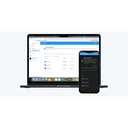
AnyDesk: Simpler single client with per device licensing and fast connections


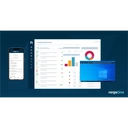
Remote desktop software built on the NX protocol for Windows, macOS and Linux
As of 25 November 2026, NoMachine's pricing is not published; the vendor quotes on request. NoMachine is remote desktop software built on its NX protocol, with Personal Edition, Enterprise Desktop, Terminal Server and Cloud Server products. Softwr lists it under Remote Desktop Software. NoMachine is made by NoMachine S.à r.l., available on Windows, macOS, Linux, Android.
Overview
NoMachine is remote desktop software built on its own NX protocol, which began as a way to run the X display protocol over slow links. The vendor sells a range of editions: NoMachine Personal Edition for individuals, NoMachine Player and mobile apps, Enterprise Desktop, Terminal Server and Cloud Server with several tiers each, and NoMachine Network, a subscription service for reaching machines behind firewalls. Features named on the site include two factor authentication, file sharing, printing and remote terminal access, with VPN, single sign on and guest desktop sharing in the Enterprise range, plus screen recording, remote administration and failover or load balancing for clusters. Encryption uses OpenSSL and TLS with AES 128. Windows, Mac and Linux computers are supported, mobile apps are on Google Play and the iOS App Store, and Enterprise products can be accessed from a web browser. Wikipedia notes the company is based in Luxembourg and that the free edition for non commercial use was discontinued in version 10, so free use is limited. NoMachine Network is priced by concurrent connections with a seven day trial. Prices for the other products are not shown on the main site, so a quote or store visit is needed. It is aimed at technical teams and enterprises more than casual home use.
The honest half
The limits buyers hit most with NoMachine: the free edition for non commercial use was discontinued as of version 10; and product prices are not shown on the main site and need the store. Each is concrete and checkable: the half of a review a vendor will not write.
Cross-shopped
The closest alternatives to NoMachine are AnyDesk, TeamViewer and Splashtop. Each is a tool buyers genuinely weigh against it, with the reason why.
AnyDesk: Simpler single client with per device licensing and fast connections
TeamViewer: Hosted access with ad hoc support sessions and wide device coverage
Splashtop: Hosted remote access with per seat plans and vendor support
Parsec: Low latency remote desktop tuned for gaming and creative work
Tailscale: Private network layer for reaching machines without a gateway
Capabilities
NoMachine lists 8 features, including NX protocol remote desktop, two factor authentication and terminal Server products for Linux.
NX protocol remote desktop
Two factor authentication
File sharing, printing and remote terminal access
NoMachine Network for access behind firewalls
Terminal Server products for Linux
Enterprise single sign on and guest desktop sharing
Screen recording and remote administration
Mobile apps for iOS and Android
Answered, with sources
Each answer names the page it came from, so you can check it rather than take our word for it.
The free edition for non commercial use has been discontinued as of version 10, according to the vendor's site.
SourceWindows, Mac and Linux computers, with mobile apps for Android and iOS. Enterprise products can also be reached from a web browser.
SourceWikipedia says NoMachine S.à r.l. is based in Luxembourg.
SourceIt is NoMachine's remote display technology, first released under the GPL2 licence for Linux servers in 2003 to make the X protocol usable over slow links.
SourceChecked against
The pages the facts above were read from. Prices and limits change, so the vendor's own page is the final word.
Keep looking
Remote desktop software with a free plan for unattended access and file transfer
Remote desktop for Windows, Mac, Linux and mobile with a Teams plan for business
Microsoft client for Azure Virtual Desktop, Windows 365, Dev Box and remote PCs
Remote access subscription priced by computers, from one to 100
Open source remote desktop software with optional self-hosted Pro server
Remote control module sold as part of the NinjaOne platform
Remote access and support software from the creators of VNC technology
Open source clientless remote desktop gateway for VNC, RDP and SSH
SolarWinds remote support, including the cloud based Dameware Remote Everywhere
Remote desktop software with cloud, self-hosted and private cloud options
Remote access to your own computers from a browser, desktop or mobile app
Softwr does not host reviews and shows no star rating for NoMachine, because a rating we did not collect is not ours to publish. What is here is the pricing and platform detail from the vendor’s own pages, limitations we could state concretely, and alternatives a reviewer confirmed people weigh against it. Tell us if any of it is wrong.
What people switch to, and what they give up
Every tier, and where the cost actually lands
Put it head to head with anything we hold
Its rating, and an embed for your own site
Remote desktop for Windows, Mac, Linux and mobile with a Teams plan for business
freemium