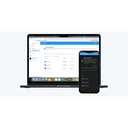
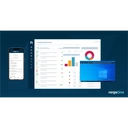
AnyViewer vs AnyDesk
AnyDesk: Established tool with wider enterprise features and platform support


Remote desktop software with a free plan for unattended access and file transfer
As of 26 November 2026, AnyViewer is free to use. AnyViewer is remote desktop software for Windows, macOS, iOS and Android with a free plan, unattended access, file transfer and privacy mode. Softwr lists it under Remote Desktop Software. AnyViewer is available on Windows, macOS, iOS, Android.
Overview
AnyViewer is remote desktop software that lets you access and control a remote desktop or laptop from another device. It runs on Windows, macOS, iOS and Android. Features include unattended remote access without someone approving each session, screen mirroring from mobile devices to a computer, file transfer, a privacy mode that blacks out the remote screen, a screen wall for monitoring several screens at once, instant chat, and role permission management. The vendor advertises up to 60 frames per second for gaming. A free plan allows one licensed user, three login devices, ten currently connected devices and two simultaneous sessions. Paid plans raise those limits: the pricing page lists Professional and Enterprise tiers, and a second set of Solo, Team and Enterprise tiers. Longer terms of three or six years carry discounts, and a 15-day money-back guarantee is stated. The Individual offering is free for personal use such as reaching a work laptop or gaming computer.
The honest half
The limits buyers hit most with AnyViewer: free plan caps sessions and devices at low numbers, with two sessions at once; and paid plan limits and terms need checking on the vendor page. Each is concrete and checkable: the half of a review a vendor will not write.
Cross-shopped
The closest alternatives to AnyViewer are AnyDesk, RustDesk and RemotePC. Each is a tool buyers genuinely weigh against it, with the reason why.
AnyDesk: Established tool with wider enterprise features and platform support
RustDesk: Open source option you can self-host
RemotePC: Subscription remote access with more business tooling
TeamViewer: Broader support and enterprise feature set
Pricing
AnyViewer is free to use. Taken from the vendor's own pricing page; prices move, so check before you buy.
Free
Free
Capabilities
AnyViewer lists 8 features, including unattended remote access, screen mirroring from mobile and file transfer.
Unattended remote access
Screen mirroring from mobile
File transfer
Privacy mode
Screen wall for multiple screens
Instant chat
Role permission management
Up to 60 FPS remote display
Answered, with sources
Each answer names the page it came from, so you can check it rather than take our word for it.
Yes, there is a free plan with one licensed user, three login devices and two simultaneous sessions.
SourceWindows, macOS, iOS and Android.
SourceThe vendor states a 15-day unconditional money-back guarantee on paid plans.
SourceYes, unattended remote access is a listed feature.
SourceChecked against
The pages the facts above were read from. Prices and limits change, so the vendor's own page is the final word.
Keep looking
Remote access subscription priced by computers, from one to 100
Open source remote desktop software with optional self-hosted Pro server
Remote desktop for Windows, Mac, Linux and mobile with a Teams plan for business
Remote desktop software built on the NX protocol for Windows, macOS and Linux
Microsoft client for Azure Virtual Desktop, Windows 365, Dev Box and remote PCs
Remote control module sold as part of the NinjaOne platform
Remote access and support software from the creators of VNC technology
Open source clientless remote desktop gateway for VNC, RDP and SSH
SolarWinds remote support, including the cloud based Dameware Remote Everywhere
Remote desktop software with cloud, self-hosted and private cloud options
Remote access to your own computers from a browser, desktop or mobile app
Softwr does not host reviews and shows no star rating for AnyViewer, because a rating we did not collect is not ours to publish. What is here is the pricing and platform detail from the vendor’s own pages, limitations we could state concretely, and alternatives a reviewer confirmed people weigh against it. Tell us if any of it is wrong.
What people switch to, and what they give up
Every tier, and where the cost actually lands
Put it head to head with anything we hold
Its rating, and an embed for your own site
Remote desktop for Windows, Mac, Linux and mobile with a Teams plan for business
freemium