NVIDIA app vs Nvidia GeForce Now
Nvidia GeForce Now: NVIDIA's cloud gaming service, for playing without local GPU hardware

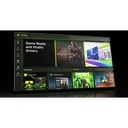
Windows companion app for NVIDIA GPU drivers, game settings, recording and overlays
As of 25 November 2026, NVIDIA app is free to use. The NVIDIA app keeps GPU drivers up to date and combines game optimisation, 3D settings, ShadowPlay recording, an overlay and AI filters in one Windows app. Softwr lists it under Gaming. NVIDIA app is made by NVIDIA, available on Windows.
Overview
The NVIDIA app is a companion for PC gamers and creators that keeps NVIDIA drivers up to date and acts as a unified GPU control centre. NVIDIA released it as a public beta on 22 February 2024 as a first step towards unifying the NVIDIA Control Panel, GeForce Experience and RTX Experience apps. Features include GPU tuning of in-game and GPU settings, including DLSS Override and Smooth Motion on RTX 50 and 40 Series cards, updates that bring newer DLSS features to supported games, ShadowPlay recording with Instant Replay of the last 30 seconds, and AV1 recording on RTX 40 Series. An overlay shows real-time frame rate and performance statistics, and Freestyle offers AI filters such as RTX Dynamic Vibrance and RTX HDR. It offers Game Ready Drivers for new releases and Studio drivers for creative applications, and links to GeForce NOW, Project G-Assist, NVIDIA Broadcast and RTX Remix. Downloads are offered for Windows on x64 and Windows on ARM, and the site does not mention macOS or Linux. No price is stated; it is a free companion to NVIDIA hardware. It needs an NVIDIA GPU to be useful, and during the beta the 2024 announcement noted that some features of the older apps, and some sharing options, were discontinued.
The honest half
The limits buyers hit most with NVIDIA app: only useful with NVIDIA graphics hardware; and some features such as Smooth Motion need RTX 40 or 50 Series cards. Each is concrete and checkable: the half of a review a vendor will not write.
Cross-shopped
The closest alternatives to NVIDIA app are Nvidia GeForce Now, Steam and Epic Games Store. Each is a tool buyers genuinely weigh against it, with the reason why.
Nvidia GeForce Now: NVIDIA's cloud gaming service, for playing without local GPU hardware
Steam: Game store and launcher that also handles library and updates, not drivers
Epic Games Store: Game launcher for a different store catalogue
Heroic Games Launcher: Open-source launcher for Epic, GOG and Amazon libraries
Playnite: Open-source library manager that unifies multiple game stores
Capabilities
NVIDIA app lists 7 features, including unified GPU control centre; DLSS Override and Smooth Motion; and ShadowPlay recording and Instant Replay.
Driver updates with Game Ready and Studio drivers
Unified GPU control centre
DLSS Override and Smooth Motion
ShadowPlay recording and Instant Replay
In-game performance overlay
Freestyle AI filters
Links to GeForce NOW, Broadcast and RTX Remix
Answered, with sources
Each answer names the page it came from, so you can check it rather than take our word for it.
NVIDIA describes it as a step towards unifying the Control Panel, GeForce Experience and RTX Experience apps.
SourceThe download options are Windows on x64 and Windows on ARM.
SourceYes, ShadowPlay records video and screenshots, with Instant Replay of the last 30 seconds and AV1 recording on RTX 40 Series.
SourceChecked against
The pages the facts above were read from. Prices and limits change, so the vendor's own page is the final word.
Keep looking
PC game storefront with a lower revenue cut for developers
Open source client for Epic, GOG and Amazon libraries on Linux, Windows and macOS
Open source Windows library manager that pulls every storefront into one browsable collection
Free graphics card overclocking, fan control and monitoring utility for Windows
Free optional client from CD Projekt that aggregates other storefronts and keeps GOG downloads DRM-free
Live streaming software and tools built on an OBS fork, with a free app and Ultra plan
Play together with friends, new games and classic favorites
Cloud gaming service that streams both a subscription catalogue and games you own elsewhere
Open source frontend running dozens of emulators as interchangeable cores behind one interface
Authorised key reseller with direct publisher agreements and a loyalty discount programme
Pay what you want game, book and software bundles with a bounded charity split
Free-to-play 5v5 tactical hero shooter from Riot Games for PC and consoles
Softwr does not host reviews and shows no star rating for NVIDIA app, because a rating we did not collect is not ours to publish. What is here is the pricing and platform detail from the vendor’s own pages, limitations we could state concretely, and alternatives a reviewer confirmed people weigh against it. Tell us if any of it is wrong.
What people switch to, and what they give up
Every tier, and where the cost actually lands
Put it head to head with anything we hold
Its rating, and an embed for your own site
Free-to-play team shooter from Valve on the Source 2 engine for Windows and Linux
freeLive streaming software and tools built on an OBS fork, with a free app and Ultra plan
freemium