
Databases · head to head
Estuary vs RAD Studio
Estuary
Databases
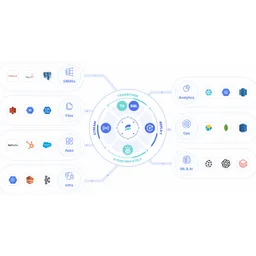
Real-time data integration combining streaming, CDC, and batch
- From
- Free
- Free plan
- Yes

RAD Studio
Developer Tools
Cross-platform native app development with Delphi and C++Builder
- From
- $2000/perpetual
- Free plan
- No
The short version
- RAD Studio is a cross-platform IDE.
- Estuary has a free plan, then $0.5/mo; RAD Studio starts at $2000/mo.
- Where Estuary falls short: Per-GB pricing adds up quickly for high-volume scenarios.
- Where RAD Studio falls short: professional edition costs $2,000 for the perpetual license plus $599 for year one maintenance, totaling $2,599 before tax.
- Prices and features on this page were last checked on 13 November 2026.
Where they differ
Only the attributes on which Estuary and RAD Studio actually diverge.
| Attribute | Estuary | RAD Studio |
|---|---|---|
| Starting price | Free | $2000/perpetual |
| Pricing model | Usage-based per GB plus per-connector cost | One-time |
| Free tier | Yes | No |
| Platforms | Web, BYOC | Web |
| Category | Databases | Developer Tools |
Not yet recorded: founded for RAD Studio.
What each one covers
Drawn from each product's published feature list. An absence here means we hold no record of it - not that the product lacks it.
Only in Estuary
- Real-time data delivery
- Change data capture
- Batch processing
- Data transformation
- Pre-built connectors
- Multiple deployments
- RBAC and monitoring
Only in RAD Studio
Nothing recorded that Estuary does not also cover.
What people use each for
The jobs each tool is most often brought in to do.
Estuary
- Real-time data replication to data warehousesnot RAD Studio
- Change data capture from operational databasesnot RAD Studio
- Feeding analytics and BI systems with fresh datanot RAD Studio
- Powering real-time AI and ML data pipelinesnot RAD Studio
RAD Studio
- Building Windows desktop applications with VCL componentsnot Estuary
- Creating iOS and Android apps from shared Delphi codebasenot Estuary
- Connecting to Oracle databases through FireDAC connectivitynot Estuary
- Building REST web services that run on Linux serversnot Estuary
Where each one falls short
Documented limitations, not opinions. Every one is a constraint you would hit in normal use.
Estuary
- Per-GB pricing adds up quickly for high-volume scenarios
- No transparent per-connector volume discounts below 6 connectors
- Limited to data movement; transformation capabilities are basic
- BYOC and private deployment requires enterprise plan
- Smaller ecosystem compared to established alternatives
RAD Studio
- Professional edition costs $2,000 for the perpetual license plus $599 for year one maintenance, totaling $2,599 before tax
- Enterprise edition steps up to $3,400 license plus $1,199 maintenance, and Architect edition to $4,416 license plus $2,183 maintenance
- The perpetual license only entitles the buyer to updates for one year; continued access to new updates and upgrades requires an annually renewable Update Subscription
Pricing, plan by plan
Estuary
Free- DeveloperFree
- 10 GB per month
- 2 connector instances maximum
- No credit card required
- Cloud$0.5/gb
- $0.50 per GB of data moved
- $100 per connector monthly (6+ connectors $50 each)
- 200+ connectors
- EnterpriseOn request
- Volume-based discounts
- SOC 2 and HIPAA compliance
- SSO authentication
RAD Studio
$2000/perpetual- Professional Edition$2,000 one-off
- Perpetual License
- First year maintenance $599
- Total $2,599 + Tax
- Enterprise Edition$3,400 one-off
- Perpetual License
- First year maintenance $1,199
- Total $4,599 + Tax
- Architect Edition$4,416 one-off
- Perpetual License
- First year maintenance $2,183
- Total $6,599 + Tax
Which should you pick?
Choose Estuary if
- You need real-time data delivery.
- You want to start without paying.
- You work on Web, BYOC.
- You also want change data capture.
Choose RAD Studio if
Nothing in the data separates RAD Studio from Estuary on the points above - pick on price and on how each one feels to use.
Questions people ask
- Is Estuary or RAD Studio better?
- Neither clearly leads. Estuary starts at Free and RAD Studio at $2000/perpetual, and user ratings are close enough to be indistinguishable. Choose on capability and platform support.
- Which is cheaper, Estuary or RAD Studio?
- Estuary has a free tier; the other does not. Paid plans start at Free for Estuary and $2000/perpetual for RAD Studio.
- Does Estuary or RAD Studio run on more platforms?
- Estuary runs on Web, BYOC. RAD Studio runs on Web.
- Can I use Estuary for free?
- Yes. Estuary has a free tier, so you can try it without paying. RAD Studio starts at $2000/perpetual.
- What is Estuary best used for?
- Estuary is most often used for real-time data replication to data warehouses, change data capture from operational databases, feeding analytics and bi systems with fresh data, powering real-time ai and ml data pipelines. Of those, real-time data replication to data warehouses and change data capture from operational databases are not what RAD Studio is typically brought in for.
- What can Estuary do that RAD Studio cannot?
- Estuary covers Real-time data delivery, Change data capture, Batch processing, Data transformation.
Answered from the vendors’ own pages
Estuary: What is included in the free Developer plan?
Developer plan ($0/month) includes 10 GB of data per month and up to 2 connector instances, no credit card required.
SourceRAD Studio: How much does RAD Studio cost?
RAD Studio uses perpetual licensing: Professional Edition $2,000 perpetual license + $599 first year maintenance ($2,599 total + tax). Enterprise Edition $3,400 license + $1,199 maintenance ($4,599 total + tax). Architect Edition $4,416 license + $2,183 maintenance ($6,599 total + tax).
SourceEstuary: How is data pricing calculated on Cloud plan?
Cloud plan charges $0.50 per GB of data moved plus $100/month per connector for the first 6 connectors, then $50/month for additional connectors.
SourceRAD Studio: What is the difference between RAD Studio editions?
Professional Edition ($2,599 total + tax) targets individual developers. Enterprise Edition ($4,599 total + tax) adds multi-tier app capabilities. Architect Edition ($6,599 total + tax) includes advanced database and cloud features. All three include perpetual licenses.
SourceEstuary: What discount is available when adding 6+ connectors?
When using 6 or more connectors, the per-connector cost drops to $50/month from $100/month, saving $50 per additional connector.
SourceRAD Studio: Does RAD Studio offer Kai AI integration and discounts?
Yes, adding Kai AI to any edition provides discounts: 25% off Professional ($2,136 + tax), 30% off Enterprise ($3,394 + tax), and 40% off Architect ($4,109 + tax). This promotion is active through August 31, 2026.
SourceRelated pages
Other head to heads
- Estuary vs Fivetran HVR
- Estuary vs Apache Druid
- Estuary vs ClickHouse
- Estuary vs Materialize
- Estuary vs Redis
- Estuary vs Firebase Realtime Database
- Estuary vs SingleStore
- Estuary vs Tinybird
- Estuary vs Timeplus
- Estuary vs Amazon Redshift
- Estuary vs DataGrip
- Estuary vs Firebolt
- Estuary vs Apache Pinot
- Estuary vs Apache Flink
- Estuary vs Apache Kafka
- Estuary vs Apache Pulsar
- Estuary vs Cassandra
- Estuary vs CouchDB
- Estuary vs CLion
- Estuary vs Visual Studio Code
- Estuary vs JetBrains Rider
- Estuary vs GitHub Desktop
- Estuary vs Postman
- Estuary vs StackBlitz
- Estuary vs Visual Studio
- Estuary vs Docker
- Estuary vs Kubernetes
- Estuary vs GNAT Pro
- Estuary vs Penpot
- Estuary vs GitLab CI/CD
- Estuary vs GitHub Copilot
- Estuary vs LaunchDarkly
- Estuary vs Terraform
- Estuary vs CodeSandbox
- Estuary vs Ona (formerly Gitpod)
- Estuary vs GitLab
- RAD Studio vs Fivetran HVR
- RAD Studio vs Apache Druid
- RAD Studio vs ClickHouse
- RAD Studio vs Materialize
- RAD Studio vs Redis
- RAD Studio vs Firebase Realtime Database
- RAD Studio vs SingleStore
- RAD Studio vs Tinybird
- RAD Studio vs Timeplus
- RAD Studio vs Amazon Redshift
- RAD Studio vs DataGrip
- RAD Studio vs Firebolt
- RAD Studio vs Apache Pinot
- RAD Studio vs Apache Flink
- RAD Studio vs Apache Kafka
- RAD Studio vs Apache Pulsar
- RAD Studio vs Cassandra
- RAD Studio vs CouchDB
- RAD Studio vs CLion
- RAD Studio vs Visual Studio Code
- RAD Studio vs JetBrains Rider
- RAD Studio vs GitHub Desktop
- RAD Studio vs Postman
- RAD Studio vs StackBlitz
- RAD Studio vs Visual Studio
- RAD Studio vs Docker
- RAD Studio vs Kubernetes
- RAD Studio vs GNAT Pro
- RAD Studio vs Penpot
- RAD Studio vs GitLab CI/CD
- RAD Studio vs GitHub Copilot
- RAD Studio vs LaunchDarkly
- RAD Studio vs Terraform
- RAD Studio vs CodeSandbox
- RAD Studio vs Ona (formerly Gitpod)
- RAD Studio vs GitLab