
Developer Tools · head to head
Deno vs RisingWave
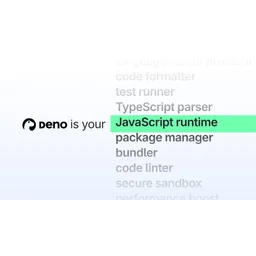
Deno
Developer Tools
A fast, open-source, fully Node-compatible JS runtime with TypeScript baked right in
- From
- Free
- Free plan
- Yes

RisingWave
Databases
Streaming database that maintains incremental materialised views in SQL instead of Flink jobs
- From
- Free
- Free plan
- Yes
The short version
- Free plans on both; paid from $20/mo and $0.227/mo.
- Where Deno falls short: egress bandwidth overage costs $0.20/GB which can become expensive for high-traffic applications.
- Prices and features on this page were last checked on 13 November 2026.
Where they differ
Only the attributes on which Deno and RisingWave actually diverge.
| Attribute | Deno | RisingWave |
|---|---|---|
| Pricing model | Freemium | Per RisingWave Unit hour |
| Platforms | Web | Linux, Self-hosted, Web |
| Category | Developer Tools | Databases |
Identical on both: starting price (Free), free tier (Yes).
What each one covers
Drawn from each product's published feature list. An absence here means we hold no record of it - not that the product lacks it.
Only in Deno
Nothing recorded that RisingWave does not also cover.
Only in RisingWave
- SQL materialised views
- Postgres wire compatibility
- Object storage state
- Source connectors
- Sink connectors
- Iceberg tables
- Watermarks and windowing
- User defined functions
What people use each for
The jobs each tool is most often brought in to do.
Deno
- Running TypeScript natively without transpilation overheadnot RisingWave
- Migrating Node.js applications to secure-by-default runtimenot RisingWave
- Deploying edge functions and serverless containers seamlesslynot RisingWave
- Consolidating developer tools into single binarynot RisingWave
RisingWave
- A team with Kafka topics that needs continuously fresh aggregates for a dashboard without standing up a Flink clusternot Deno
- A fraud or risk team maintaining rolling counters and joins across event streams expressed as SQL viewsnot Deno
- A company doing Postgres CDC into a real-time denormalised view for search or servingnot Deno
- An analytics group that wants streaming results landed directly into Apache Iceberg without a separate writer jobnot Deno
Where each one falls short
Documented limitations, not opinions. Every one is a constraint you would hit in normal use.
Deno
- Egress bandwidth overage costs $0.20/GB which can become expensive for high-traffic applications
- CPU time overage is $0.10/hour on Pro and Builder tiers, adding to costs for compute-intensive workloads
- Enterprise pricing is not disclosed; requires sales contact
RisingWave
- Anything that does not fit SQL, such as custom windowing, complex event processing or heavy stateful logic, still needs Flink, so RisingWave often adds a system rather than removing one
- The Apache 2.0 community edition excludes premium features behind a licence key, and which capabilities sit on which side of that line moves between releases, so a self-hosted plan can be invalidated by an upgrade
- Long-running materialised views accumulate state in object storage, and cost and recovery time grow with retention in ways that are hard to forecast before you are in production
- The Postgres compatibility is protocol level; it is not a transactional Postgres and using it as a general purpose database, with point updates or high write concurrency, goes badly
- It is a comparatively young venture-funded project competing with Flink, Materialize and warehouse-native streaming, and the ecosystem of connectors, operators and third-party expertise is much thinner
Pricing, plan by plan
Deno
Free- FreeFree
- 1 million requests/month
- 20GB egress bandwidth
- 10 apps
- Pro$20/mo
- 5 million requests/month
- 200GB egress
- 50 apps
- Builder$200/mo
- 25 million requests/month
- 2,000GB egress
- 10,000 apps
- EnterpriseOn request
- Custom limits on all metrics
- 99.95% reliability SLA
- Email support with SLA
RisingWave
Free- Community EditionFree
- Apache 2.0 licence, self-hosted
- Core streaming engine and connectors
- Premium features excluded and require a licence key
- Cloud Basic$0.227/hour
- Billed per RisingWave Unit hour
- Hosted on AWS, GCP or Azure
- Capped at 64 cores
- Cloud ProOn request
- No core limit
- Bring your own cloud option
- Premium features included
- Self-managed EnterpriseOn request
- On premises or Kubernetes
- Premium features unlocked by licence
- Annual contract with SLA
Which should you pick?
Choose RisingWave if
- You need sql materialised views.
- You want to start without paying.
- You work on Linux, Self-hosted, Web.
- You also want postgres wire compatibility.
Questions people ask
- Is Deno or RisingWave better?
- Neither clearly leads. Deno starts at Free and RisingWave at Free, and user ratings are close enough to be indistinguishable. Choose on capability and platform support.
- Which is cheaper, Deno or RisingWave?
- Deno starts at Free and RisingWave at Free.
- Does Deno or RisingWave run on more platforms?
- Deno runs on Web. RisingWave runs on Linux, Self-hosted, Web.
- Can I use Deno for free?
- Both have a free tier, so you can try either at no cost before committing.
- What is Deno best used for?
- Deno is most often used for running typescript natively without transpilation overhead, migrating node.js applications to secure-by-default runtime, deploying edge functions and serverless containers seamlessly, consolidating developer tools into single binary. Of those, running typescript natively without transpilation overhead and migrating node.js applications to secure-by-default runtime are not what RisingWave is typically brought in for.
- What can Deno do that RisingWave cannot?
- RisingWave covers SQL materialised views, Postgres wire compatibility, Object storage state, Source connectors.
Answered from the vendors’ own pages
Deno: How much does Deno Deploy cost?
Deno Deploy offers a free tier at $0/month, Pro at $20/month, and Builder at $200/month. Enterprise has custom pricing. All plans include base request and bandwidth limits, with overage charges for additional usage.
SourceRisingWave: Is RisingWave open source?
The community edition is Apache 2.0 and self-hostable, but a set of premium features requires a paid licence key.
Deno: What are Deno Deploy's overage charges?
Egress bandwidth overages cost $0.20 per GB. CPU time overages are $0.10 per hour on Pro and Builder tiers. Memory time and KV database operations also incur charges beyond included limits.
SourceRisingWave: What does the cloud cost?
It starts at 0.227 US dollars per RisingWave Unit hour on the Basic tier, which is capped at 64 cores.
Deno: How many apps can I deploy on Deno's free plan?
The free tier includes 10 apps with up to 1 concurrent build. Pro tier supports 50 apps with 3 concurrent builds, and Builder supports 10,000 apps with 20 concurrent builds.
SourceRisingWave: Does it replace Flink?
For SQL-expressible transformations, often yes. For custom stateful processing and complex event handling, no.
Deno: How many team members can access Deno Deploy?
The free tier supports up to 3 team members. Pro supports 10 team members. Builder supports 25 team members. Enterprise has custom seat limits.
SourceRisingWave: Can I query it like Postgres?
Yes over the Postgres wire protocol, but it is an analytical streaming engine, not a transactional database.
Related pages
Other head to heads
- Deno vs Jitsu
- Deno vs WebStorm
- Deno vs Turborepo
- Deno vs Argo CD
- Deno vs Frappe
- Deno vs Git
- Deno vs Restate
- Deno vs Soketi
- Deno vs LaunchDarkly
- Deno vs Sublime Text
- Deno vs Vite
- Deno vs Bazel
- Deno vs Hookdeck
- Deno vs Istio
- Deno vs JFrog Artifactory
- Deno vs Namespace
- Deno vs Nix
- Deno vs Nixpacks
- Deno vs Apache Flink
- Deno vs Materialize
- Deno vs Tinybird
- Deno vs Redpanda
- Deno vs Timeplus
- Deno vs Estuary
- Deno vs Instaclustr
- Deno vs Fivetran HVR
- Deno vs Trino
- Deno vs TiDB
- Deno vs Xata
- Deno vs ScyllaDB
- Deno vs Solace PubSub+
- Deno vs SQLite
- Deno vs StarRocks
- Deno vs SurrealDB
- Deno vs Teradata
- Deno vs Apache Kafka
- RisingWave vs Jitsu
- RisingWave vs WebStorm
- RisingWave vs Turborepo
- RisingWave vs Argo CD
- RisingWave vs Frappe
- RisingWave vs Git
- RisingWave vs Restate
- RisingWave vs Soketi
- RisingWave vs LaunchDarkly
- RisingWave vs Sublime Text
- RisingWave vs Vite
- RisingWave vs Bazel
- RisingWave vs Hookdeck
- RisingWave vs Istio
- RisingWave vs JFrog Artifactory
- RisingWave vs Namespace
- RisingWave vs Nix
- RisingWave vs Nixpacks
- RisingWave vs Apache Flink
- RisingWave vs Materialize
- RisingWave vs Tinybird
- RisingWave vs Redpanda
- RisingWave vs Timeplus
- RisingWave vs Estuary
- RisingWave vs Instaclustr
- RisingWave vs Fivetran HVR
- RisingWave vs Trino
- RisingWave vs TiDB
- RisingWave vs Xata
- RisingWave vs ScyllaDB
- RisingWave vs Solace PubSub+
- RisingWave vs SQLite
- RisingWave vs StarRocks
- RisingWave vs SurrealDB
- RisingWave vs Teradata
- RisingWave vs Apache Kafka