
Technology · head to head
Safari vs Azure DevOps
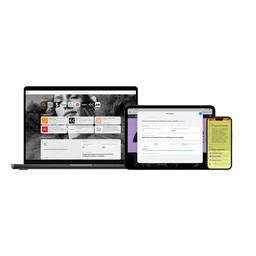
Safari
Technology
Apple's WebKit browser, available only on Apple operating systems and updated only with them.
- From
- Free
- Free plan
- Yes

Azure DevOps
Developer Tools
Plan smarter, collaborate better, and ship faster
- From
- Free
- Free plan
- Yes
The short version
- Each has a real cost: Safari it runs only on Apple operating systems; there has been no Windows build since 2012 and none for Linux or Android, so any team that must verify Safari behaviour has to buy Mac hardware or rent it from a device cloud, which is a line item Chrome and Firefox do not create.; Azure DevOps first 5 users free applies to Basic plan only; Test Plans users are not included in free tier
- Prices and features above were last checked on 30 August 2026.
Where they differ
Only the attributes on which Safari and Azure DevOps actually diverge.
| Attribute | Safari | Azure DevOps |
|---|---|---|
| Pricing model | free | mixed |
| Category | Technology | Developer Tools |
Identical on both: starting price (Free), free tier (Yes), platforms (Web), user rating (Not yet rated).
What each one covers
Drawn from each product's published feature list. An absence here means we hold no record of it - not that the product lacks it.
Only in Safari
- WebKit engine
- Intelligent Tracking Prevention
- Energy optimisation
- iCloud Private Relay
- Passkeys in iCloud Keychain
- Handoff and tab sync
- Profiles and Tab Groups
- Web Inspector
Only in Azure DevOps
Nothing recorded that Safari does not also cover.
What people use each for
The jobs each tool is most often brought in to do.
Safari
- Getting the longest battery life out of a MacBook, where the difference against Chromium browsers is hours rather than minutesnot Azure DevOps
- Debugging a site on a real iPhone or iPad, which requires Safari's Web Inspector connected over USB from a Macnot Azure DevOps
- An all-Apple household or team that wants tabs, passwords and passkeys to follow them across devices without a third-party accountnot Azure DevOps
- Privacy-conscious users on iCloud+ who want tracking protection and Private Relay working by default rather than through extensionsnot Azure DevOps
Azure DevOps
- CI/CD pipelines and build automation for software development teamsnot Safari
- Source code repository management and version controlnot Safari
- Test planning and tracking for QA teamsnot Safari
- Artifact storage for packages and binariesnot Safari
Where each one falls short
Documented limitations, not opinions. Every one is a constraint you would hit in normal use.
Safari
- It runs only on Apple operating systems; there has been no Windows build since 2012 and none for Linux or Android, so any team that must verify Safari behaviour has to buy Mac hardware or rent it from a device cloud, which is a line item Chrome and Firefox do not create.
- Safari's version is bound to the operating system's version, so a Mac that has fallen off the supported macOS list stops receiving Safari updates altogether; the browser's security life is the machine's OS life, roughly three years of updates after the last major release it can run.
- Distributing an extension means packaging it inside a signed macOS application and shipping it through the App Store with a paid Apple Developer Program membership, which makes a small internal or single-team extension impractical.
- Automated testing uses safaridriver, which runs on macOS only, has no headless mode and permits one session per machine, so Safari coverage in CI means real Macs in the pipeline rather than containers, and it does not parallelise the way Chromium does.
- Web platform features generally land in WebKit later than in Blink and Gecko, so Safari's current support is in practice the compatibility floor for any project, and a feature you can use everywhere else may be a year away here.
- Enterprise management is thin: configuration profiles cover a modest set of settings with nothing comparable to the several hundred administrative policies Chrome and Edge expose, so a managed fleet cannot control Safari to the same degree.
Azure DevOps
- First 5 users free applies to Basic plan only; Test Plans users are not included in free tier
- Storage pricing increases per-GiB cost as volumes grow, with no volume discount threshold below $0.25
Pricing, plan by plan
Safari
FreeNo published plan breakdown. See the Safari review.
Azure DevOps
Free- Basic$6/month per user
- First 5 users free
- Additional users $6/user/month
- Pipelines (free tier)
- Basic + Test Plans$52/month per user
- All Basic features
- Test planning, tracking, and execution
- Azure Pipelines CI/CD - Microsoft-hosted$40/month per additional parallel job
- 1 free parallel job with 1,800 minutes per month
- Additional jobs at $40/month each
- Azure Artifacts Storage$2/month per GiB
- First 2 GiB free
- 2-10 GiB: $2/GiB
- 10-100 GiB: $1/GiB
Which should you pick?
Choose Safari if
- You need webkit engine.
- You want to start without paying.
- You also want intelligent tracking prevention.
Questions people ask
- Is Safari or Azure DevOps better?
- Neither clearly leads. Safari starts at Free and Azure DevOps at Free, and user ratings are close enough to be indistinguishable. Choose on capability and platform support.
- Which is cheaper, Safari or Azure DevOps?
- Safari starts at Free and Azure DevOps at Free.
- Does Safari or Azure DevOps run on more platforms?
- Both run on Web, so platform support will not decide this one for you.
- Can I use Safari for free?
- Both have a free tier, so you can try either at no cost before committing.
- What is Safari best used for?
- Safari is most often used for getting the longest battery life out of a macbook, where the difference against chromium browsers is hours rather than minutes, debugging a site on a real iphone or ipad, which requires safari's web inspector connected over usb from a mac, an all-apple household or team that wants tabs, passwords and passkeys to follow them across devices without a third-party account, privacy-conscious users on icloud+ who want tracking protection and private relay working by default rather than through extensions. Of those, getting the longest battery life out of a macbook, where the difference against chromium browsers is hours rather than minutes and debugging a site on a real iphone or ipad, which requires safari's web inspector connected over usb from a mac are not what Azure DevOps is typically brought in for.
- What can Safari do that Azure DevOps cannot?
- Safari covers WebKit engine, Intelligent Tracking Prevention, Energy optimisation, iCloud Private Relay.
Answered from the vendors’ own pages
Safari: Can I run Safari on Windows or Linux?
No. The last Windows version was Safari 5.1.7 in 2012 and it is long unsupported. There has never been a Linux build. Testing Safari requires macOS, either your own or a rented cloud device.
Azure DevOps: How much does Azure DevOps cost?
Azure DevOps Basic plan is $6 per user per month after the first 5 users are free. Basic + Test Plans tier costs $52 per user per month. Azure Pipelines add-on for extra parallel jobs costs $40 per job for Microsoft-hosted runners and $15 per job for self-hosted runners.
SourceSafari: How do I test my site in Safari without a Mac?
Through a cloud device farm such as BrowserStack, Sauce Labs or LambdaTest, which run real macOS and iOS instances. There is no reliable local emulation, because other browsers on Windows and Linux do not use WebKit.
Azure DevOps: Is there a free tier for Azure DevOps?
Yes, Azure DevOps includes 5 free users on the Basic plan. Additional free allocations include 1,800 free minutes per month on Azure Pipelines with a free parallel job, 2 GiB free storage on Azure Artifacts, and free access for Visual Studio subscribers and Stakeholders with limited functionality.
SourceSafari: Are other iPhone browsers really different from Safari?
Historically no: Apple required all iOS browsers to use WebKit, so Chrome and Firefox on iPhone were interface shells around Safari's engine. The EU's Digital Markets Act now permits alternative engines, but adoption is limited, so in practice iOS testing still means WebKit.
Azure DevOps: What does the Basic + Test Plans tier add to Azure DevOps?
The Basic + Test Plans tier adds test planning and execution capabilities, browser-based testing, and centralized reporting features. This tier costs $52 per user per month compared to $6 per user for the Basic plan.
SourceSafari: Why does Safari not get a new version on my old Mac?
Safari ships with the operating system. When a Mac can no longer run a macOS version that Apple still updates, Safari stops updating too, including its security fixes.
Azure DevOps: How is Azure Artifacts priced?
Azure Artifacts provides 2 GiB of free storage, then charges $2 per GiB for 2-10 GiB, $1 per GiB for 10-100 GiB, $0.50 per GiB for 100-1,000 GiB, and $0.25 per GiB for over 1,000 GiB.
SourceSafari: What does it cost?
Nothing. It is included with Apple operating systems. Private Relay requires an iCloud+ subscription, and publishing an extension requires a paid Apple Developer Program membership.
Related pages
More on Azure DevOps
Other head to heads
- Safari vs Microsoft Edge
- Safari vs Mozilla Firefox
- Safari vs Google Chrome
- Safari vs Trino
- Safari vs Apache Spark
- Safari vs GitHub Desktop
- Safari vs ClickUp
- Safari vs Intercom
- Safari vs Monday.com
- Safari vs Maze
- Safari vs PyCharm
- Safari vs MongoDB
- Safari vs Nagios XI
- Safari vs Postgres
- Safari vs Shortcut
- Safari vs Site24x7
- Safari vs Microsoft Outlook
- Safari vs MongoDB Atlas
- Safari vs pnpm
- Safari vs Visual Studio Code
- Safari vs ESLint
- Safari vs Turborepo
- Safari vs Yarn
- Safari vs Buildkite
- Safari vs Spacelift
- Safari vs Keycloak
- Safari vs CodeSandbox
- Safari vs Ona (formerly Gitpod)
- Safari vs Depot
- Safari vs Harness
- Safari vs Keil MDK
- Safari vs Vite
- Safari vs Bazel
- Safari vs Daytona
- Safari vs Earthly
- Azure DevOps vs Microsoft Edge
- Azure DevOps vs Mozilla Firefox
- Azure DevOps vs Google Chrome
- Azure DevOps vs Trino
- Azure DevOps vs Apache Spark
- Azure DevOps vs GitHub Desktop
- Azure DevOps vs ClickUp
- Azure DevOps vs Intercom
- Azure DevOps vs Monday.com
- Azure DevOps vs Maze
- Azure DevOps vs PyCharm
- Azure DevOps vs MongoDB
- Azure DevOps vs Nagios XI
- Azure DevOps vs Postgres
- Azure DevOps vs Shortcut
- Azure DevOps vs Site24x7
- Azure DevOps vs Microsoft Outlook
- Azure DevOps vs MongoDB Atlas
- Azure DevOps vs pnpm
- Azure DevOps vs Visual Studio Code
- Azure DevOps vs ESLint
- Azure DevOps vs Turborepo
- Azure DevOps vs Yarn
- Azure DevOps vs Buildkite
- Azure DevOps vs Spacelift
- Azure DevOps vs Keycloak
- Azure DevOps vs CodeSandbox
- Azure DevOps vs Ona (formerly Gitpod)
- Azure DevOps vs Depot
- Azure DevOps vs Harness
- Azure DevOps vs Keil MDK
- Azure DevOps vs Vite
- Azure DevOps vs Bazel
- Azure DevOps vs Daytona
- Azure DevOps vs Earthly