
Gaming · head to head
NVIDIA app vs Stitcher
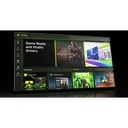
NVIDIA app
Gaming
Windows companion app for NVIDIA GPU drivers, game settings, recording and overlays
- From
- Free
- Free plan
- Yes
Stitcher
Entertainment
Premium podcast subscription service
- From
- Free
- Free plan
- Yes
The short version
- Stitcher is a podcast platform and subscription service.
- NVIDIA app is free; Stitcher starts at $4.99/mo.
- Only NVIDIA app lists unified GPU control centre; only Stitcher lists podcast streaming.
- Where NVIDIA app falls short: windows only; no macOS or Linux download is offered.
- Where Stitcher falls short: service discontinued August 29, 2023.
- Prices and features on this page were last checked on 25 November 2026.
How do NVIDIA app and Stitcher differ?
NVIDIA app and Stitcher differ on pricing model (Free against Freemium), platforms and category (Gaming against Entertainment). Only the attributes on which NVIDIA app and Stitcher actually diverge.
| Attribute | NVIDIA app | Stitcher |
|---|---|---|
| Pricing model | Free | Freemium |
| Platforms | Windows | Web, iOS, Android, Smart-speakers |
| Category | Gaming | Entertainment |
Identical on both: starting price (Free), free tier (Yes).
Not yet recorded: founded for NVIDIA app.
Which features does each one have?
They share no listed features; 7 appear only for NVIDIA app and 13 only for Stitcher. Drawn from each product's published feature list. An absence here means we hold no record of it - not that the product lacks it.
Only in NVIDIA app
- Driver updates with Game Ready and Studio drivers
- Unified GPU control centre
- DLSS Override and Smooth Motion
- ShadowPlay recording and Instant Replay
- In-game performance overlay
- Freestyle AI filters
- Links to GeForce NOW, Broadcast and RTX Remix
Only in Stitcher
- Podcast streaming
- Original content
- Ad-free
- Offline listening
- Recommendations
- Smart speakers
- Car systems
- Account security
What is each one used for?
NVIDIA app is most often brought in for keeping GPU drivers current; Stitcher for podcast listening. The jobs each tool is most often brought in to do.
NVIDIA app
- Keeping GPU drivers currentnot Stitcher
- Optimising game settingsnot Stitcher
- Recording gameplay clipsnot Stitcher
- Monitoring performance with an overlaynot Stitcher
Stitcher
- Podcast listeningnot NVIDIA app
- Audio entertainmentnot NVIDIA app
Where do NVIDIA app and Stitcher fall short?
NVIDIA app's most cited limit: windows only; no macOS or Linux download is offered. Stitcher's: service discontinued August 29, 2023. Documented limitations, not opinions. Every one is a constraint you would hit in normal use.
NVIDIA app
- Windows only; no macOS or Linux download is offered
- Only useful with NVIDIA graphics hardware
- Some features such as Smooth Motion need RTX 40 or 50 Series cards
- Broadcast to Twitch and YouTube and Photo Mode captures were discontinued
Stitcher
- Service discontinued August 29, 2023
- No longer available for download or use
- Service ended on 29 August 2023 when SiriusXM closed the Stitcher app and website
How much do NVIDIA app and Stitcher cost?
NVIDIA app is free to use; Stitcher has a free plan, with paid plans from $4.99/mo. Plan by plan below, from each vendor's own pricing page.
NVIDIA app
FreeNo published plan breakdown. See the NVIDIA app review.
Stitcher
Free- FreeFree
- Free podcasts
- Ad-supported
- Stitcher Premium$4.99/mo
- Ad-free
- Exclusives
Which should you pick?
Choose NVIDIA app if
- You need driver updates with game ready and studio drivers.
- You want to start without paying.
- You work on Windows.
- You also want unified gpu control centre.
Choose Stitcher if
- You need podcast streaming.
- You want to start without paying.
- You work on Web, iOS, Android, Smart-speakers.
- You also want original content.
Questions people ask
- Is NVIDIA app or Stitcher better?
- Neither clearly leads. NVIDIA app starts at Free and Stitcher at Free, and user ratings are close enough to be indistinguishable. Choose on capability and platform support.
- Which is cheaper, NVIDIA app or Stitcher?
- NVIDIA app starts at Free and Stitcher at Free.
- Does NVIDIA app or Stitcher run on more platforms?
- NVIDIA app runs on Windows. Stitcher runs on Web, iOS, Android, Smart-speakers.
- Can I use NVIDIA app for free?
- Both have a free tier, so you can try either at no cost before committing.
- What is NVIDIA app best used for?
- NVIDIA app is most often used for keeping gpu drivers current, optimising game settings, recording gameplay clips, monitoring performance with an overlay. Of those, keeping gpu drivers current and optimising game settings are not what Stitcher is typically brought in for.
- What can NVIDIA app do that Stitcher cannot?
- NVIDIA app covers Driver updates with Game Ready and Studio drivers, Unified GPU control centre, DLSS Override and Smooth Motion, ShadowPlay recording and Instant Replay. Stitcher covers Podcast streaming, Original content, Ad-free, Offline listening.
Answered from the vendors’ own pages
NVIDIA app: What does the NVIDIA app replace?
NVIDIA describes it as a step towards unifying the Control Panel, GeForce Experience and RTX Experience apps.
SourceStitcher: Is Stitcher still available?
No. Stitcher shut down on August 29, 2023. SiriusXM, which acquired Stitcher in 2020, discontinued the app to consolidate podcasts into its flagship SiriusXM subscription. Users can listen to podcasts via the SiriusXM app instead.
SourceNVIDIA app: Which systems can run it?
The download options are Windows on x64 and Windows on ARM.
SourceNVIDIA app: Can it record gameplay?
Yes, ShadowPlay records video and screenshots, with Instant Replay of the last 30 seconds and AV1 recording on RTX 40 Series.
SourceRelated pages
Other head to heads
- NVIDIA app vs Steam
- NVIDIA app vs Epic Games Store
- NVIDIA app vs Heroic Games Launcher
- NVIDIA app vs Playnite
- NVIDIA app vs MSI Afterburner
- NVIDIA app vs GOG Galaxy
- NVIDIA app vs Streamlabs
- NVIDIA app vs GOG
- NVIDIA app vs Xbox Game Pass
- NVIDIA app vs Amazon Luna
- NVIDIA app vs itch.io
- NVIDIA app vs PlayStation Plus
- NVIDIA app vs League of Legends
- NVIDIA app vs RetroArch
- NVIDIA app vs Winio
- NVIDIA app vs Green Man Gaming
- NVIDIA app vs Humble Bundle
- NVIDIA app vs VALORANT
- NVIDIA app vs Spotify
- NVIDIA app vs Castbox
- NVIDIA app vs Castro
- NVIDIA app vs Overcast
- NVIDIA app vs Audible
- NVIDIA app vs Apple Music
- NVIDIA app vs ESPN+
- NVIDIA app vs Starz
- NVIDIA app vs Showtime
- NVIDIA app vs AMC+
- NVIDIA app vs Netflix
- NVIDIA app vs Plex
- NVIDIA app vs Unreal Engine
- NVIDIA app vs Criterion Channel
- NVIDIA app vs Infuse
- NVIDIA app vs Philo
- NVIDIA app vs YouTube TV
- NVIDIA app vs Hulu
- Stitcher vs Steam
- Stitcher vs Epic Games Store
- Stitcher vs Heroic Games Launcher
- Stitcher vs Playnite
- Stitcher vs MSI Afterburner
- Stitcher vs GOG Galaxy
- Stitcher vs Streamlabs
- Stitcher vs GOG
- Stitcher vs Xbox Game Pass
- Stitcher vs Amazon Luna
- Stitcher vs itch.io
- Stitcher vs PlayStation Plus
- Stitcher vs League of Legends
- Stitcher vs RetroArch
- Stitcher vs Winio
- Stitcher vs Green Man Gaming
- Stitcher vs Humble Bundle
- Stitcher vs VALORANT
- Stitcher vs Spotify
- Stitcher vs Castbox
- Stitcher vs Castro
- Stitcher vs Overcast
- Stitcher vs Audible
- Stitcher vs Apple Music
- Stitcher vs ESPN+
- Stitcher vs Starz
- Stitcher vs Showtime
- Stitcher vs AMC+
- Stitcher vs Netflix
- Stitcher vs Plex
- Stitcher vs Unreal Engine
- Stitcher vs Criterion Channel
- Stitcher vs Infuse
- Stitcher vs Philo
- Stitcher vs YouTube TV
- Stitcher vs Hulu