
Business Intelligence · head to head
Deepnote vs Namespace
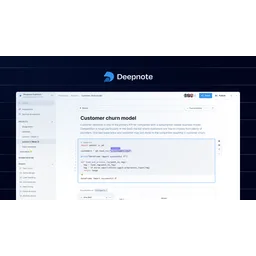
Deepnote
Business Intelligence
Collaborative cloud workspace for data analytics and machine learning
- From
- Free
- Free plan
- Yes
Namespace
Developer Tools
The dev platform for the next 100 billion commits
- From
- Free
- Free plan
- Yes
The short version
- Deepnote is a collaborative cloud-based workspace; Namespace is a developer infrastructure platform.
- Free plans on both; paid from $39/mo and $100/mo.
- Only Deepnote lists collaborative notebooks; only Namespace lists GitHub Actions runners.
- Where Deepnote falls short: free plan limited to 3 editors, restricting team usage.
- Where Namespace falls short: developer plan is pay-as-you-go only; minimum usage unclear.
- Prices and features on this page were last checked on 29 August 2026.
Where they differ
Only the attributes on which Deepnote and Namespace actually diverge.
Identical on both: starting price (Free), free tier (Yes).
Not yet recorded: pricing model for Namespace.
What each one covers
Drawn from each product's published feature list. An absence here means we hold no record of it - not that the product lacks it.
Only in Deepnote
- Collaborative notebooks
- Interactive dashboards
- Data agent building
- Scheduled pipelines
- Model management
- 100+ integrations
- GPU support
- API deployment
Only in Namespace
- Devboxes
- GitHub Actions runners
- Docker builds
- Cross-invocation caching
- NVMe storage
- High-speed networking
- Multiple OS support
- Bazel and Turborepo support
What people use each for
The jobs each tool is most often brought in to do.
Deepnote
- Data exploration and analysis workflowsnot Namespace
- Building interactive business intelligence dashboardsnot Namespace
- Collaborative machine learning model developmentnot Namespace
- Automating ETL and data pipeline orchestrationnot Namespace
- Creating shareable reports without exportsnot Namespace
Namespace
- Providing AI coding agents with cloud-based development environmentsnot Deepnote
- Accelerating CI builds with faster GitHub Actions runnersnot Deepnote
- Distributing builds across teams with managed infrastructurenot Deepnote
- Scaling development velocity for monorepo organizationsnot Deepnote
Where each one falls short
Documented limitations, not opinions. Every one is a constraint you would hit in normal use.
Deepnote
- Free plan limited to 3 editors, restricting team usage
- Limited revision history on free plan compared to competitors
- Requires Team plan or higher for automated scheduling
- GPU support incurs additional charges beyond base subscription
- No mentioned offline capability
Namespace
- Developer plan is pay-as-you-go only; minimum usage unclear
- Team plan $100/mo is competitive but usage limits may be tight
- Devbox pricing separate at $0.004/minute could add up quickly
- Enterprise plan requires custom sales conversation
Pricing, plan by plan
Deepnote
Free- FreeFree
- Up to 3 editors
- Up to 5 projects
- Limited Deepnote AI
- Team$39/mo
- Unlimited viewers and notebooks
- Full Deepnote AI access
- Premium integrations
- EnterpriseOn request
- Everything in Team plan
- Custom contracts
- Priority support
Namespace
Free- DeveloperFree
- Pay-as-you-go
- On-demand compute
- Docker builds
- Team$100/mo
- 100,000 unit minutes
- 1,000 Docker builds
- Everything in Developer
- Business$250/mo
- 250,000 unit minutes
- 2,500 Docker builds
- Everything in Team
- EnterpriseOn request
- Custom compute/Docker build limits
- Audit log export
- Enterprise SSO
Which should you pick?
Choose Deepnote if
- You need collaborative notebooks.
- You want to start without paying.
- You work on Web, API.
- You also want interactive dashboards.
Choose Namespace if
- You need devboxes.
- You want to start without paying.
- You work on Web, macOS, Windows, Linux.
- You also want github actions runners.
Questions people ask
- Is Deepnote or Namespace better?
- Neither clearly leads. Deepnote starts at Free and Namespace at Free, and user ratings are close enough to be indistinguishable. Choose on capability and platform support.
- Which is cheaper, Deepnote or Namespace?
- Deepnote starts at Free and Namespace at Free.
- Does Deepnote or Namespace run on more platforms?
- Deepnote runs on Web, API. Namespace runs on Web, macOS, Windows, Linux.
- Can I use Deepnote for free?
- Both have a free tier, so you can try either at no cost before committing.
- What is Deepnote best used for?
- Deepnote is most often used for data exploration and analysis workflows, building interactive business intelligence dashboards, collaborative machine learning model development, automating etl and data pipeline orchestration. Of those, data exploration and analysis workflows and building interactive business intelligence dashboards are not what Namespace is typically brought in for.
- What can Deepnote do that Namespace cannot?
- Deepnote covers Collaborative notebooks, Interactive dashboards, Data agent building, Scheduled pipelines. Namespace covers Devboxes, GitHub Actions runners, Docker builds, Cross-invocation caching.
Answered from the vendors’ own pages
Deepnote: What is included in the free Deepnote plan?
The free plan includes up to 3 editors, up to 5 projects, limited Deepnote AI, basic machines with 5 GB RAM, and 7-day revision history.
SourceNamespace: How is compute usage metered on the Developer plan?
Developer plan uses pay-as-you-go billing. Devboxes bill at $0.004 per minute. Storage and caching services have separate usage-based fees. A 30-day free trial is available to test usage patterns.
SourceDeepnote: What data sources can Deepnote integrate with?
Deepnote integrates with 100+ data sources including major data warehouses like Snowflake, BigQuery, and Redshift, as well as BI platforms like Looker, Tableau, and Power BI.
SourceNamespace: What is the difference between Team and Business plans?
Team ($100/mo) includes 100,000 unit minutes and 1,000 Docker builds with email support. Business ($250/mo) includes 250,000 unit minutes, 2,500 Docker builds, and high concurrency with a dedicated Slack channel.
SourceDeepnote: Does Deepnote support collaboration?
Yes, Deepnote provides real-time collaborative notebooks where multiple team members can work simultaneously. The Team plan allows unlimited viewers and notebooks.
SourceNamespace: Can Namespace support AI coding agents?
Yes, Namespace Devboxes are specifically designed as feature-rich development environments for AI coding agents, with full tooling and performance optimization.
SourceDeepnote: What compliance certifications does Deepnote have?
Deepnote is SOC 2, HIPAA, GDPR, and CCPA compliant and offers role-based access control, single sign-on, and directory synchronization.
SourceRelated pages
Other head to heads
- Deepnote vs Fabi
- Deepnote vs Hex
- Deepnote vs Mode
- Deepnote vs Yellowfin
- Deepnote vs TIBCO Spotfire
- Deepnote vs Klipfolio
- Deepnote vs Databox
- Deepnote vs Domo
- Deepnote vs DashThis
- Deepnote vs Grow
- Deepnote vs Periscope Data
- Deepnote vs Luzmo
- Deepnote vs Phocas
- Deepnote vs Preset
- Deepnote vs ProfitWell
- Deepnote vs Quantum Metric
- Deepnote vs Quid
- Deepnote vs Reportz
- Deepnote vs Ona (formerly Gitpod)
- Deepnote vs CodeSandbox
- Deepnote vs WarpBuild
- Deepnote vs Depot
- Deepnote vs Blacksmith
- Deepnote vs Earthly
- Deepnote vs Kubernetes
- Deepnote vs GitLab
- Deepnote vs Jenkins
- Deepnote vs LaunchDarkly
- Deepnote vs Terraform
- Deepnote vs Daytona
- Deepnote vs HCP Terraform
- Deepnote vs Helm
- Deepnote vs Jitsu
- Deepnote vs Notepad++
- Deepnote vs Postman
- Deepnote vs Prettier
- Namespace vs Fabi
- Namespace vs Hex
- Namespace vs Mode
- Namespace vs Yellowfin
- Namespace vs TIBCO Spotfire
- Namespace vs Klipfolio
- Namespace vs Databox
- Namespace vs Domo
- Namespace vs DashThis
- Namespace vs Grow
- Namespace vs Periscope Data
- Namespace vs Luzmo
- Namespace vs Phocas
- Namespace vs Preset
- Namespace vs ProfitWell
- Namespace vs Quantum Metric
- Namespace vs Quid
- Namespace vs Reportz
- Namespace vs Ona (formerly Gitpod)
- Namespace vs CodeSandbox
- Namespace vs WarpBuild
- Namespace vs Depot
- Namespace vs Blacksmith
- Namespace vs Earthly
- Namespace vs Kubernetes
- Namespace vs GitLab
- Namespace vs Jenkins
- Namespace vs LaunchDarkly
- Namespace vs Terraform
- Namespace vs Daytona
- Namespace vs HCP Terraform
- Namespace vs Helm
- Namespace vs Jitsu
- Namespace vs Notepad++
- Namespace vs Postman
- Namespace vs Prettier