
Software Development · head to head
Cline vs Cronitor

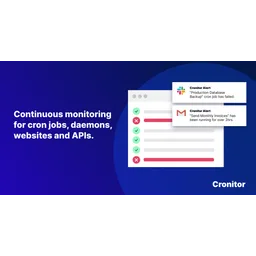
Cronitor
Logging
Monitoring for cron jobs, websites, and background tasks
- From
- Free
- Rated
- -
The short version
- Each has a real cost: Cline no seat licenses or subscription fees for open source tier creates unclear Enterprise pricing model; Cronitor free tier limited to 5 monitors, limiting viability for small teams
Where they differ
Only the attributes on which Cline and Cronitor actually diverge.
Identical on both: starting price (Free), free tier (Yes), user rating (Not yet rated).
What each one covers
Drawn from each product's published feature list. An absence here means we hold no record of it - not that the product lacks it.
Only in Cline
Nothing recorded that Cronitor does not also cover.
Only in Cronitor
- Cron job monitoring
- Uptime and performance checks
- Heartbeat monitoring
- Status pages
- Real-user monitoring
- Alert integrations
- Email reports
What people use each for
The jobs each tool is most often brought in to do.
Cline
- AI-assisted code generation and refactoringnot Cronitor
- VS Code extension for developersnot Cronitor
- Enterprise multi-user team collaborationnot Cronitor
Cronitor
- Monitoring scheduled cron jobs and background tasksnot Cline
- Tracking website and API uptime with global checksnot Cline
- Alerting teams when critical jobs fail to executenot Cline
- Communicating service status to customersnot Cline
Where each one falls short
Documented limitations, not opinions. Every one is a constraint you would hit in normal use.
Cline
- no seat licenses or subscription fees for open source tier creates unclear Enterprise pricing model
- JetBrains IDE support only in Enterprise tier
Cronitor
- Free tier limited to 5 monitors, limiting viability for small teams
- Pay-per-monitor pricing scales quickly with infrastructure size
- Requires integrating ping calls into existing jobs
- Limited to monitoring jobs that can send pings
- No built-in workflow orchestration or task scheduling
Pricing, plan by plan
Cline
FreeNo published plan breakdown. See the Cline review.
Cronitor
Free- HackerFree
- 5 monitors
- Email and Slack alerts
- Basic status page
- Business$2/monitor/month
- Unlimited monitors
- 30-second check frequency
- 10 alert integrations
- Enterprise$6000/year
- Custom features and integrations
- 5-second check frequency
- Dedicated engineer
Which should you pick?
Choose Cronitor if
- You need cron job monitoring.
- You want to start without paying.
- You work on Web, API.
- You also want uptime and performance checks.
Questions people ask
- Is Cline or Cronitor better?
- Neither clearly leads. Cline starts at Free and Cronitor at Free, and user ratings are close enough to be indistinguishable. Choose on capability and platform support.
- Which is cheaper, Cline or Cronitor?
- Cline starts at Free and Cronitor at Free.
- Does Cline or Cronitor run on more platforms?
- Cline runs on Web. Cronitor runs on Web, API.
- Can I use Cline for free?
- Both have a free tier, so you can try either at no cost before committing.
- What is Cline best used for?
- Cline is most often used for ai-assisted code generation and refactoring, vs code extension for developers, enterprise multi-user team collaboration. Of those, ai-assisted code generation and refactoring and vs code extension for developers are not what Cronitor is typically brought in for.
- What can Cline do that Cronitor cannot?
- Cronitor covers Cron job monitoring, Uptime and performance checks, Heartbeat monitoring, Status pages.
Answered from the vendors’ own pages
Cline: Is Cline free?
Yes, Cline open source is free and Apache 2.0 licensed; you pay only for AI model inference when you use it, with no subscriptions or seat licenses.
SourceCronitor: How does Cronitor billing work for the Business plan?
Business plan costs $2 per monitor per month plus $5 per user per month, billed monthly based on actual usage.
SourceCline: Does Cline have team collaboration features?
Team collaboration is available in the Enterprise tier only, which includes SSO/OIDC, role-based access control, team management dashboard, and audit logs.
SourceCronitor: What is the difference between Hacker and Business plans?
Hacker plan ($0/month) includes 5 monitors and basic Slack/email alerts. Business plan ($2/monitor/month) offers unlimited monitors, 30-second checks, 10 integrations, 12-month retention, and email reports.
SourceCline: Can I use my own AI API keys with Cline?
Yes, you can bring your own API keys from OpenAI, Anthropic, Google, and other providers, giving you full control over inference costs.
SourceCronitor: Does Cronitor offer a free trial?
Yes, Cronitor provides a 14-day free trial on the Business plan without requiring a credit card.
SourceCline: What's included in Cline Enterprise?
Cline Enterprise adds JetBrains IDE support, SSO/OIDC authentication, SLA, dedicated support, centralized billing, role-based access control, and audit logging to the open source features.
SourceRelated pages
Other head to heads
- Cline vs Cursor
- Cline vs Windsurf
- Cline vs Zed
- Cline vs Amp
- Cline vs Braintrust
- Cline vs Codacy
- Cline vs DeepSource
- Cline vs Devin
- Cline vs SonarQube Cloud
- Cline vs Augment Code
- Cline vs Baseten
- Cline vs Drizzle ORM
- Cline vs Flagsmith
- Cline vs Unleash
- Cline vs Bun
- Cline vs Factory
- Cline vs Humanloop
- Cline vs Langfuse
- Cline vs Elastic Stack
- Cline vs New Relic
- Cline vs Datadog Logs
- Cline vs Coralogix
- Cline vs Grafana Loki
- Cline vs incident.io
- Cline vs FireHydrant
- Cline vs Healthchecks
- Cline vs Openstatus
- Cline vs Rootly
- Cline vs Checkly
- Cline vs CloudWatch
- Cline vs Dynatrace
- Cline vs InfluxDB
- Cline vs Airbrake
- Cline vs AppDynamics
- Cline vs Axiom
- Cline vs Azure Monitor
- Cronitor vs Cursor
- Cronitor vs Windsurf
- Cronitor vs Zed
- Cronitor vs Amp
- Cronitor vs Braintrust
- Cronitor vs Codacy
- Cronitor vs DeepSource
- Cronitor vs Devin
- Cronitor vs SonarQube Cloud
- Cronitor vs Augment Code
- Cronitor vs Baseten
- Cronitor vs Drizzle ORM
- Cronitor vs Flagsmith
- Cronitor vs Unleash
- Cronitor vs Bun
- Cronitor vs Factory
- Cronitor vs Humanloop
- Cronitor vs Langfuse
- Cronitor vs Elastic Stack
- Cronitor vs New Relic
- Cronitor vs Datadog Logs
- Cronitor vs Coralogix
- Cronitor vs Grafana Loki
- Cronitor vs incident.io
- Cronitor vs FireHydrant
- Cronitor vs Healthchecks
- Cronitor vs Openstatus
- Cronitor vs Rootly
- Cronitor vs Checkly
- Cronitor vs CloudWatch
- Cronitor vs Dynatrace
- Cronitor vs InfluxDB
- Cronitor vs Airbrake
- Cronitor vs AppDynamics
- Cronitor vs Axiom
- Cronitor vs Azure Monitor