
Databases · head to head
Chroma vs Namespace
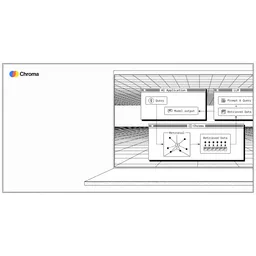
Chroma
Databases
Apache 2.0 vector and full-text search engine that runs as an embedded library, a single server or a distributed cloud service.
- From
- Free
- Free plan
- Yes
Namespace
Developer Tools
The dev platform for the next 100 billion commits
- From
- Free
- Free plan
- Yes
The short version
- Namespace is a developer infrastructure platform.
- Free plans on both; paid from $250/mo and $100/mo.
- Only Chroma lists embedded mode; only Namespace lists GitHub Actions runners.
- Where Namespace falls short: developer plan is pay-as-you-go only; minimum usage unclear.
- Prices and features on this page were last checked on 13 November 2026.
Where they differ
Only the attributes on which Chroma and Namespace actually diverge.
Identical on both: starting price (Free), free tier (Yes).
Not yet recorded: pricing model for Namespace.
What each one covers
Drawn from each product's published feature list. An absence here means we hold no record of it - not that the product lacks it.
Only in Chroma
- Embedded mode
- Single-node server
- Distributed architecture
- Vector search
- Full-text search
- Metadata filtering
- Consistent API across modes
- Multi-language clients
Only in Namespace
- Devboxes
- GitHub Actions runners
- Docker builds
- Cross-invocation caching
- NVMe storage
- High-speed networking
- Multiple OS support
- Bazel and Turborepo support
What people use each for
The jobs each tool is most often brought in to do.
Chroma
- Prototyping retrieval-augmented generation where the priority is having a working index in minutes rather than choosing a permanent storenot Namespace
- Agent memory in a single application process, where an embedded store avoids adding a network dependencynot Namespace
- A departmental search application under roughly ten million records where one server is sufficient and simplicity is worth more than headroomnot Namespace
- Local and CI testing of retrieval code with the same client library used in productionnot Namespace
Namespace
- Providing AI coding agents with cloud-based development environmentsnot Chroma
- Accelerating CI builds with faster GitHub Actions runnersnot Chroma
- Distributing builds across teams with managed infrastructurenot Chroma
- Scaling development velocity for monorepo organizationsnot Chroma
Where each one falls short
Documented limitations, not opinions. Every one is a constraint you would hit in normal use.
Chroma
- On a single node, available memory sets a hard upper bound on collection size, roughly 245,000 records per gigabyte of RAM at 1024 dimensions, so capacity planning is a memory purchase and the ceiling arrives without warning
- Single-node queries parallelise only up to the number of vCPUs, after which requests queue and latency rises linearly with concurrency, so throughput problems appear as a slow application rather than as errors
- The distributed deployment behind Chroma Cloud is a different architecture from the embedded library, so latency, consistency and failure behaviour observed in a local prototype do not predict production behaviour
- The open source server has no built-in authentication or multi-tenancy worth relying on, so a self-hosted deployment needs its own auth proxy and network controls before anything untrusted can reach it
- The project has moved quickly through major internal rewrites and version changes, so upgrades have historically involved data migrations and client changes, and pinning versions is necessary rather than cautious
Namespace
- Developer plan is pay-as-you-go only; minimum usage unclear
- Team plan $100/mo is competitive but usage limits may be tight
- Devbox pricing separate at $0.004/minute could add up quickly
- Enterprise plan requires custom sales conversation
Pricing, plan by plan
Chroma
Free- StarterFree
- 10 databases
- 10 team members
- Community Slack access
- Team$250/mo
- 100 databases
- 30 team members
- $100 in included credits
- EnterpriseOn request
- Unlimited databases
- Unlimited team members
- Dedicated support
Namespace
Free- DeveloperFree
- Pay-as-you-go
- On-demand compute
- Docker builds
- Team$100/mo
- 100,000 unit minutes
- 1,000 Docker builds
- Everything in Developer
- Business$250/mo
- 250,000 unit minutes
- 2,500 Docker builds
- Everything in Team
- EnterpriseOn request
- Custom compute/Docker build limits
- Audit log export
- Enterprise SSO
Which should you pick?
Choose Chroma if
- You need embedded mode.
- You want to start without paying.
- You also want single-node server.
Choose Namespace if
- You need devboxes.
- You want to start without paying.
- You work on Web, macOS, Windows, Linux.
- You also want github actions runners.
Questions people ask
- Is Chroma or Namespace better?
- Neither clearly leads. Chroma starts at Free and Namespace at Free, and user ratings are close enough to be indistinguishable. Choose on capability and platform support.
- Which is cheaper, Chroma or Namespace?
- Chroma starts at Free and Namespace at Free.
- Does Chroma or Namespace run on more platforms?
- Chroma runs on Web. Namespace runs on Web, macOS, Windows, Linux.
- Can I use Chroma for free?
- Both have a free tier, so you can try either at no cost before committing.
- What is Chroma best used for?
- Chroma is most often used for prototyping retrieval-augmented generation where the priority is having a working index in minutes rather than choosing a permanent store, agent memory in a single application process, where an embedded store avoids adding a network dependency, a departmental search application under roughly ten million records where one server is sufficient and simplicity is worth more than headroom, local and ci testing of retrieval code with the same client library used in production. Of those, prototyping retrieval-augmented generation where the priority is having a working index in minutes rather than choosing a permanent store and agent memory in a single application process, where an embedded store avoids adding a network dependency are not what Namespace is typically brought in for.
- What can Chroma do that Namespace cannot?
- Chroma covers Embedded mode, Single-node server, Distributed architecture, Vector search. Namespace covers Devboxes, GitHub Actions runners, Docker builds, Cross-invocation caching.
Answered from the vendors’ own pages
Chroma: Do I need to run a server?
No. Chroma runs embedded in your process with persistence to a local directory, which is how most projects start. The server and distributed modes exist for when multiple clients or larger collections require them.
Namespace: How is compute usage metered on the Developer plan?
Developer plan uses pay-as-you-go billing. Devboxes bill at $0.004 per minute. Storage and caching services have separate usage-based fees. A 30-day free trial is available to test usage patterns.
SourceChroma: How large can a single node get?
The project puts single-node deployments at fewer than about ten million records across a handful of collections, with collection size bounded by system memory at roughly 245,000 records per gigabyte at 1024 dimensions.
Namespace: What is the difference between Team and Business plans?
Team ($100/mo) includes 100,000 unit minutes and 1,000 Docker builds with email support. Business ($250/mo) includes 250,000 unit minutes, 2,500 Docker builds, and high concurrency with a dedicated Slack channel.
SourceChroma: Is Chroma Cloud the same software?
It is the same API and project, but the distributed deployment is a different architecture, using independent services, object storage and SSD caches rather than a single process. Behaviour under load differs accordingly.
Namespace: Can Namespace support AI coding agents?
Yes, Namespace Devboxes are specifically designed as feature-rich development environments for AI coding agents, with full tooling and performance optimization.
SourceChroma: How does it compare with pgvector?
pgvector keeps vectors in a Postgres database you already operate, with SQL, joins and transactions. Chroma is a dedicated retrieval engine with a lower setup cost and a retrieval-shaped API. If you already run Postgres, pgvector removes a system; if you do not, Chroma removes a decision.
Chroma: What licence is it under?
Apache 2.0, which permits self-hosting and embedding in commercial products without a competing-use restriction.
Related pages
Other head to heads
- Chroma vs DuckDB
- Chroma vs turbopuffer
- Chroma vs Vespa
- Chroma vs Qdrant
- Chroma vs SQLite
- Chroma vs Timeplus
- Chroma vs EMQX
- Chroma vs LanceDB
- Chroma vs Presto
- Chroma vs Zilliz
- Chroma vs Elasticsearch
- Chroma vs Redis
- Chroma vs Apache Pinot
- Chroma vs DataGrip
- Chroma vs Estuary
- Chroma vs Apache Pulsar
- Chroma vs Cassandra
- Chroma vs CouchDB
- Chroma vs Ona (formerly Gitpod)
- Chroma vs CodeSandbox
- Chroma vs WarpBuild
- Chroma vs Depot
- Chroma vs Blacksmith
- Chroma vs Earthly
- Chroma vs Kubernetes
- Chroma vs GitLab
- Chroma vs Jenkins
- Chroma vs LaunchDarkly
- Chroma vs Terraform
- Chroma vs Daytona
- Chroma vs HCP Terraform
- Chroma vs Helm
- Chroma vs Jitsu
- Chroma vs Notepad++
- Chroma vs Postman
- Chroma vs Prettier
- Namespace vs DuckDB
- Namespace vs turbopuffer
- Namespace vs Vespa
- Namespace vs Qdrant
- Namespace vs SQLite
- Namespace vs Timeplus
- Namespace vs EMQX
- Namespace vs LanceDB
- Namespace vs Presto
- Namespace vs Zilliz
- Namespace vs Elasticsearch
- Namespace vs Redis
- Namespace vs Apache Pinot
- Namespace vs DataGrip
- Namespace vs Estuary
- Namespace vs Apache Pulsar
- Namespace vs Cassandra
- Namespace vs CouchDB
- Namespace vs Ona (formerly Gitpod)
- Namespace vs CodeSandbox
- Namespace vs WarpBuild
- Namespace vs Depot
- Namespace vs Blacksmith
- Namespace vs Earthly
- Namespace vs Kubernetes
- Namespace vs GitLab
- Namespace vs Jenkins
- Namespace vs LaunchDarkly
- Namespace vs Terraform
- Namespace vs Daytona
- Namespace vs HCP Terraform
- Namespace vs Helm
- Namespace vs Jitsu
- Namespace vs Notepad++
- Namespace vs Postman
- Namespace vs Prettier