
Automation Integration · head to head
Browser Use vs Deepnote

Browser Use
Automation Integration
Give Browser Use a natural-language task and receive completed work from a managed browser agent
- From
- Free
- Free plan
- Yes
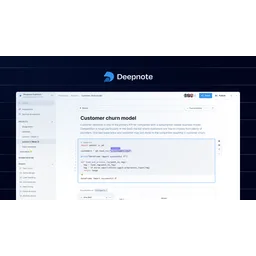
Deepnote
Business Intelligence
Collaborative cloud workspace for data analytics and machine learning
- From
- Free
- Free plan
- Yes
The short version
- Deepnote is a collaborative cloud-based workspace.
- Free plans on both; paid from $29/mo and $39/mo.
- Where Browser Use falls short: annual plans cost 10 months of fees but provide 12 months of credits (Dev: $290/year with $360 credits).
- Where Deepnote falls short: free plan limited to 3 editors, restricting team usage.
- Prices and features on this page were last checked on 13 November 2026.
Where they differ
Only the attributes on which Browser Use and Deepnote actually diverge.
| Attribute | Browser Use | Deepnote |
|---|---|---|
| Pricing model | Subscription | Subscription with free tier |
| Platforms | Web | Web, API |
| Category | Automation Integration | Business Intelligence |
Identical on both: starting price (Free), free tier (Yes).
What each one covers
Drawn from each product's published feature list. An absence here means we hold no record of it - not that the product lacks it.
Only in Browser Use
Nothing recorded that Deepnote does not also cover.
Only in Deepnote
- Collaborative notebooks
- Interactive dashboards
- Data agent building
- Scheduled pipelines
- Model management
- 100+ integrations
- GPU support
- API deployment
What people use each for
The jobs each tool is most often brought in to do.
Browser Use
- Web automationnot Deepnote
- Browser task automationnot Deepnote
Deepnote
- Data exploration and analysis workflowsnot Browser Use
- Building interactive business intelligence dashboardsnot Browser Use
- Collaborative machine learning model developmentnot Browser Use
- Automating ETL and data pipeline orchestrationnot Browser Use
- Creating shareable reports without exportsnot Browser Use
Where each one falls short
Documented limitations, not opinions. Every one is a constraint you would hit in normal use.
Browser Use
- Annual plans cost 10 months of fees but provide 12 months of credits (Dev: $290/year with $360 credits)
- Proxy costs extra: $4-5/GB managed residential proxy
- Cloud browser sessions add $0.02/hour minimum 1 minute
Deepnote
- Free plan limited to 3 editors, restricting team usage
- Limited revision history on free plan compared to competitors
- Requires Team plan or higher for automated scheduling
- GPU support incurs additional charges beyond base subscription
- No mentioned offline capability
Pricing, plan by plan
Browser Use
Free- FreeFree
- 10 agent tasks/month
- 3 concurrent sessions
- Dev$29/mo
- $29 monthly credits
- 25 concurrent sessions
- Business$299/mo
- $299 monthly credits
- 200 concurrent sessions
- Scaleup$999/mo
- $999 monthly credits
- 500 concurrent sessions
Deepnote
Free- FreeFree
- Up to 3 editors
- Up to 5 projects
- Limited Deepnote AI
- Team$39/mo
- Unlimited viewers and notebooks
- Full Deepnote AI access
- Premium integrations
- EnterpriseOn request
- Everything in Team plan
- Custom contracts
- Priority support
Which should you pick?
Choose Deepnote if
- You need collaborative notebooks.
- You want to start without paying.
- You work on Web, API.
- You also want interactive dashboards.
Questions people ask
- Is Browser Use or Deepnote better?
- Neither clearly leads. Browser Use starts at Free and Deepnote at Free, and user ratings are close enough to be indistinguishable. Choose on capability and platform support.
- Which is cheaper, Browser Use or Deepnote?
- Browser Use starts at Free and Deepnote at Free.
- Does Browser Use or Deepnote run on more platforms?
- Browser Use runs on Web. Deepnote runs on Web, API.
- Can I use Browser Use for free?
- Both have a free tier, so you can try either at no cost before committing.
- What is Browser Use best used for?
- Browser Use is most often used for web automation, browser task automation. Of those, web automation and browser task automation are not what Deepnote is typically brought in for.
- What can Browser Use do that Deepnote cannot?
- Deepnote covers Collaborative notebooks, Interactive dashboards, Data agent building, Scheduled pipelines.
Answered from the vendors’ own pages
Browser Use: How much does Browser Use's Dev plan cost?
The Dev plan costs $29 per month and includes $29 in monthly agent credits, 25 concurrent sessions, and browser automation capabilities.
SourceDeepnote: What is included in the free Deepnote plan?
The free plan includes up to 3 editors, up to 5 projects, limited Deepnote AI, basic machines with 5 GB RAM, and 7-day revision history.
SourceBrowser Use: What is the cost of Browser Use's cloud browser sessions?
Cloud browser sessions cost $0.02 per browser-hour with a one-minute minimum, rounded up to the nearest minute.
SourceDeepnote: What data sources can Deepnote integrate with?
Deepnote integrates with 100+ data sources including major data warehouses like Snowflake, BigQuery, and Redshift, as well as BI platforms like Looker, Tableau, and Power BI.
SourceBrowser Use: Does Browser Use offer a free plan?
Browser Use's free plan includes 10 agent tasks per month and 3 concurrent sessions at no cost, available without payment information.
SourceDeepnote: Does Deepnote support collaboration?
Yes, Deepnote provides real-time collaborative notebooks where multiple team members can work simultaneously. The Team plan allows unlimited viewers and notebooks.
SourceBrowser Use: How much do Browser Use's annual subscriptions save compared to monthly?
Annual subscriptions cost 10 months of fees: Dev costs $290/year with $360 credits, Business costs $2,990/year with $3,600 credits, and Scaleup costs $9,990/year with $12,000 credits.
SourceDeepnote: What compliance certifications does Deepnote have?
Deepnote is SOC 2, HIPAA, GDPR, and CCPA compliant and offers role-based access control, single sign-on, and directory synchronization.
SourceRelated pages
More on Browser Use
Other head to heads
- Browser Use vs Microsoft Power Automate
- Browser Use vs Temporal
- Browser Use vs CrewAI
- Browser Use vs Trigger.dev
- Browser Use vs Autonoly
- Browser Use vs Browserbase
- Browser Use vs Decodable
- Browser Use vs Zapier
- Browser Use vs Dagster
- Browser Use vs RudderStack
- Browser Use vs Nintex
- Browser Use vs Alloy Automation
- Browser Use vs HighLevel
- Browser Use vs Grouparoo
- Browser Use vs HighByte Intelligence Hub
- Browser Use vs IBM MQ
- Browser Use vs Integromat
- Browser Use vs jBPM
- Browser Use vs Fabi
- Browser Use vs Hex
- Browser Use vs Mode
- Browser Use vs Yellowfin
- Browser Use vs TIBCO Spotfire
- Browser Use vs Klipfolio
- Browser Use vs Databox
- Browser Use vs Domo
- Browser Use vs DashThis
- Browser Use vs Grow
- Browser Use vs Periscope Data
- Browser Use vs Luzmo
- Browser Use vs Phocas
- Browser Use vs Preset
- Browser Use vs ProfitWell
- Browser Use vs Quantum Metric
- Browser Use vs Quid
- Browser Use vs Reportz
- Deepnote vs Microsoft Power Automate
- Deepnote vs Temporal
- Deepnote vs CrewAI
- Deepnote vs Trigger.dev
- Deepnote vs Autonoly
- Deepnote vs Browserbase
- Deepnote vs Decodable
- Deepnote vs Zapier
- Deepnote vs Dagster
- Deepnote vs RudderStack
- Deepnote vs Nintex
- Deepnote vs Alloy Automation
- Deepnote vs HighLevel
- Deepnote vs Grouparoo
- Deepnote vs HighByte Intelligence Hub
- Deepnote vs IBM MQ
- Deepnote vs Integromat
- Deepnote vs jBPM
- Deepnote vs Fabi
- Deepnote vs Hex
- Deepnote vs Mode
- Deepnote vs Yellowfin
- Deepnote vs TIBCO Spotfire
- Deepnote vs Klipfolio
- Deepnote vs Databox
- Deepnote vs Domo
- Deepnote vs DashThis
- Deepnote vs Grow
- Deepnote vs Periscope Data
- Deepnote vs Luzmo
- Deepnote vs Phocas
- Deepnote vs Preset
- Deepnote vs ProfitWell
- Deepnote vs Quantum Metric
- Deepnote vs Quid
- Deepnote vs Reportz