
ScreenRec vs Loom
Loom: Async video platform with team spaces and viewer tools

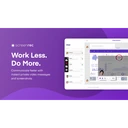
Free screen recorder and screenshot tool with instant cloud sharing links
As of 27 November 2026, ScreenRec is free to use. ScreenRec records screen, microphone and webcam, takes annotated screenshots and copies a share link when you stop. Softwr lists it under Screen Recording Software. ScreenRec is available on Windows, macOS, Linux.
Overview
ScreenRec is a screen recorder, screenshot tool and voice dictation app. With one click it captures the screen, microphone, system audio and webcam, and when a recording ends a share link is copied to the clipboard. Annotated screenshots support comments and highlights. Content is encrypted, the owner controls access, and analytics show who watched, when and for how long. Recordings can be organised with tags and collections and published as private or public. The vendor describes it as free forever for Windows, Mac and Linux with no credit card required. Version 5.0.13 was released on 20 July 2025. Windows is listed as working on versions from XP to 10, Mac builds exist for Apple Silicon and Intel, and Linux installs through an apt repository. The site links a plans and pricing page, but the free tier is the main offer. It suits people who want quick shareable recordings without editing.
The honest half
The limits buyers hit most with ScreenRec: no built-in timeline video editor for polishing recordings; and the company behind the product is not named on the site. Each is concrete and checkable: the half of a review a vendor will not write.
Cross-shopped
The closest alternatives to ScreenRec are Loom, OBS Studio and Zight. Each is a tool buyers genuinely weigh against it, with the reason why.
Loom: Async video platform with team spaces and viewer tools
OBS Studio: Free open source recorder with local files and scenes
Zight: Capture and share tool with team libraries
ScreenPal: Recorder and editor with hosting and a free tier
ShareX: Free Windows capture tool with many upload destinations
Capabilities
ScreenRec lists 8 features, including one-click recording; microphone and webcam capture; and annotated screenshots.
One-click recording
Microphone and webcam capture
Annotated screenshots
Instant share links
Viewer analytics
Tags and collections
Private or public publishing
Voice dictation
Answered, with sources
Each answer names the page it came from, so you can check it rather than take our word for it.
Checked against
The pages the facts above were read from. Prices and limits change, so the vendor's own page is the final word.
Keep looking
Screen recorder, video editor and hosting service formerly called Screencast-O-Matic
Screen recording, screenshot and GIF tool for visual communication, formerly CloudApp
Open-source screen recorder and async video sharing platform
Screenshot and screen recording tool that saves captures to the cloud with a share link
Windows screen recorder with a built-in editor for captions, zoom and blur
Simple screen recorder with annotation, scheduling and one-click sharing
Free open-source Chrome screen recorder with a browser video editor
Screen recorder with screenshot, GIF capture and video sharing, free and paid per user
Screen and camera recorder with a built-in editor, sharing links and viewer analytics
TechSmith screen capture and recording tool for Windows and macOS, sold by subscription
Screen, game and webcam recorder for Windows and macOS with annual and perpetual licences
Desktop screen recorder for Windows and Mac with scheduling, annotation and webcam overlay
Mac screen recorder that automates zooms, cursor smoothing and framing
Screen recorder and video editor for Windows and Mac with AI tools, avatars and templates
Softwr does not host reviews and shows no star rating for ScreenRec, because a rating we did not collect is not ours to publish. What is here is the pricing and platform detail from the vendor’s own pages, limitations we could state concretely, and alternatives a reviewer confirmed people weigh against it. Tell us if any of it is wrong.
What people switch to, and what they give up
Every tier, and where the cost actually lands
Put it head to head with anything we hold
Its rating, and an embed for your own site
Simple screen recorder with annotation, scheduling and one-click sharing
freemiumScreenshot and screen recording tool that saves captures to the cloud with a share link
subscriptionScreen recorder and video editor for Windows and Mac with AI tools, avatars and templates
subscriptionScreen recorder with screenshot, GIF capture and video sharing, free and paid per user
freemium