
Design · head to head
Playground AI vs Procreate
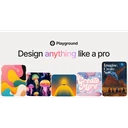
Playground AI
Design
AI design studio for creating stickers, merch, posters, and logos from text
- From
- Free
- Rated
- -
The short version
- Only Playground AI has a free tier, so it costs nothing to try first.
- Each has a real cost: Playground AI positioned more as a template-driven design app than a general-purpose image generator, limiting flexibility versus raw model access.; Procreate iPad-only application with no desktop version for Windows or macOS
- They diverge on capability: Playground AI covers Text-to-design generation, Procreate covers Digital painting.
- Prices and features above were last checked on 30 August 2026.
Where they differ
Only the attributes on which Playground AI and Procreate actually diverge.
| Attribute | Playground AI | Procreate |
|---|---|---|
| Starting price | Free | $12.99/one-time |
| Pricing model | freemium | Unknown |
| Free tier | Yes | No |
| Platforms | web, ios | iPad |
| Founded | Unknown | 2010 |
Identical on both: user rating (Not yet rated), category (Design).
What each one covers
Drawn from each product's published feature list. An absence here means we hold no record of it - not that the product lacks it.
Only in Playground AI
- Text-to-design generation
- Template library
- Multiple AI models
- Non-destructive editing
- Mockup integration
Only in Procreate
- Digital painting
- Brush library
- Layer management
- Selection tools
- Time-lapse recording
- Apple Pencil
- iPad Pro
- Cloud services
What people use each for
The jobs each tool is most often brought in to do.
Playground AI
- Designing stickers, posters, and logos without design skillsnot Procreate
- Creating print-ready merchandise mockupsnot Procreate
- Generating social media graphics from templatesnot Procreate
- Iterating on designs with non-destructive AI editing toolsnot Procreate
Procreate
- Digital illustrationnot Playground AI
- Concept artnot Playground AI
- Character designnot Playground AI
- Educational artnot Playground AI
- Hobby drawingnot Playground AI
Where each one falls short
Documented limitations, not opinions. Every one is a constraint you would hit in normal use.
Playground AI
- Positioned more as a template-driven design app than a general-purpose image generator, limiting flexibility versus raw model access.
- Advanced editing features are gated behind paid Pro and Pro Plus tiers.
- No enterprise or team plan is listed on the public pricing page.
Procreate
- iPad-only application with no desktop version for Windows or macOS
- Requires Apple hardware investment (iPad and Apple Pencil)
- Cannot export to cloud storage natively, limiting cross-device workflows
- High upfront cost when accounting for required iPad hardware
Pricing, plan by plan
Playground AI
Free- FreeFree
- Exploring and casual creation
- Pro$12/month
- For serious creators
- Billed annually; $15/month billed monthly
- Pro Plus$36/month
- Best value tier for professionals
- Billed annually; $45/month billed monthly
Procreate
$12.99/one-time- Procreate$12.99/one-time
- 200+ brushes
- Unlimited layers
- Advanced blending modes
- Procreate Pocket$5.99/one-time
- iPhone version
- Touch-optimized interface
- Procreate Dreams$19.99/one-time
- Animation tool
- Frame-by-frame animation
Which should you pick?
Choose Playground AI if
- You need text-to-design generation.
- You want to start without paying.
- You work on web, ios.
- You also want template library.
Choose Procreate if
- You need digital painting.
- You work on iPad.
- You also want brush library.
Questions people ask
- Is Playground AI or Procreate better?
- Neither clearly leads. Playground AI starts at Free and Procreate at $12.99/one-time, and user ratings are close enough to be indistinguishable. Choose on capability and platform support.
- Which is cheaper, Playground AI or Procreate?
- Playground AI has a free tier; the other does not. Paid plans start at Free for Playground AI and $12.99/one-time for Procreate.
- Does Playground AI or Procreate run on more platforms?
- Playground AI runs on web, ios. Procreate runs on iPad.
- Can I use Playground AI for free?
- Yes. Playground AI has a free tier, so you can try it without paying. Procreate starts at $12.99/one-time.
- What is Playground AI best used for?
- Playground AI is most often used for designing stickers, posters, and logos without design skills, creating print-ready merchandise mockups, generating social media graphics from templates, iterating on designs with non-destructive ai editing tools. Of those, designing stickers, posters, and logos without design skills and creating print-ready merchandise mockups are not what Procreate is typically brought in for.
- What can Playground AI do that Procreate cannot?
- Playground AI covers Text-to-design generation, Template library, Multiple AI models, Non-destructive editing. Procreate covers Digital painting, Brush library, Layer management, Selection tools.
Answered from the vendors’ own pages
Playground AI: What are Playground AI's free plan limits?
Free users can create up to 10 images every 3 hours, get 3 monthly generations across Nano Banana, GPT Image 2 and Seedream, and 2 downloads per day, with no upscaling or background removal.
SourceProcreate: Does Procreate work on desktop or only iPad?
Procreate is iPad-only. There is no desktop version for Windows or macOS, requiring users to purchase iPad hardware and Apple Pencil for use.
SourcePlayground AI: How much do the paid plans cost?
Pro is $12/month billed annually ($15/month billed monthly) with 150 monthly credits, and Pro Plus is $36/month billed annually ($45/month billed monthly) with 1,000 monthly credits.
SourceProcreate: What companion apps are available for Procreate?
Procreate Pocket is an iPhone version at $5.99, and Procreate Dreams is an animation tool at $19.99, both one-time purchases.
SourcePlayground AI: How is usage metered on Playground AI?
Generations consume credits; Nano Banana Pro costs 4 credits per generation while all other models cost 1 credit per generation, with monthly credit pools varying by plan.
SourcePlayground AI: How do I cancel or manage billing?
Users can update payment methods or cancel through the Billing Portal in the avatar menu; only credit and debit cards are accepted.
SourcePlayground AI: Does Playground AI offer API access?
API access is available by application via a form, and is prioritized for partners generating over 1 million images per month.
SourceRelated pages
More on Playground AI
Other head to heads
- Playground AI vs Canva
- Playground AI vs Magnific
- Playground AI vs Adobe Illustrator
- Playground AI vs ProtoPie
- Playground AI vs Inkscape
- Playground AI vs Recraft
- Playground AI vs Spline
- Playground AI vs ArtRage
- Playground AI vs Krea
- Playground AI vs Origami Studio
- Playground AI vs Womp
- Playground AI vs Affinity Designer
- Playground AI vs Xara Designer Pro+
- Playground AI vs InVision
- Playground AI vs Photopea
- Playground AI vs Principle
- Playground AI vs Procreate Dreams
- Playground AI vs Krita
- Playground AI vs Corel Painter
- Playground AI vs Linearity Curve
- Playground AI vs Rebelle
- Playground AI vs PaintTool SAI
- Playground AI vs Vectr
- Playground AI vs Gravit Designer
- Procreate vs Canva
- Procreate vs Magnific
- Procreate vs Adobe Illustrator
- Procreate vs ProtoPie
- Procreate vs Inkscape
- Procreate vs Recraft
- Procreate vs Spline
- Procreate vs ArtRage
- Procreate vs Krea
- Procreate vs Origami Studio
- Procreate vs Womp
- Procreate vs Affinity Designer
- Procreate vs Xara Designer Pro+
- Procreate vs InVision
- Procreate vs Photopea
- Procreate vs Principle
- Procreate vs Procreate Dreams
- Procreate vs Krita
- Procreate vs Corel Painter
- Procreate vs Linearity Curve
- Procreate vs Rebelle
- Procreate vs PaintTool SAI
- Procreate vs Vectr
- Procreate vs Gravit Designer