
Design · head to head
CorelDRAW Graphics Suite vs Playground AI

CorelDRAW Graphics Suite
Design
A fully-loaded professional design toolkit for vector illustration and layout
- From
- Free
- Rated
- -
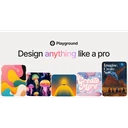
Playground AI
Design
AI design studio for creating stickers, merch, posters, and logos from text
- From
- Free
- Rated
- -
The short version
- Each has a real cost: CorelDRAW Graphics Suite specific subscription prices not published on product page (shown as placeholder); Playground AI positioned more as a template-driven design app than a general-purpose image generator, limiting flexibility versus raw model access.
- Prices and features above were last checked on 29 August 2026.
Where they differ
Only the attributes on which CorelDRAW Graphics Suite and Playground AI actually diverge.
| Attribute | CorelDRAW Graphics Suite | Playground AI |
|---|---|---|
| Pricing model | subscription | freemium |
| Platforms | Web | web, ios |
Identical on both: starting price (Free), free tier (Yes), user rating (Not yet rated), category (Design).
What each one covers
Drawn from each product's published feature list. An absence here means we hold no record of it - not that the product lacks it.
Only in CorelDRAW Graphics Suite
Nothing recorded that Playground AI does not also cover.
Only in Playground AI
- Text-to-design generation
- Template library
- Multiple AI models
- Non-destructive editing
- Mockup integration
What people use each for
The jobs each tool is most often brought in to do.
CorelDRAW Graphics Suite
- Vector graphic design and illustrationnot Playground AI
- Logo design and brandingnot Playground AI
- Poster and flyer creationnot Playground AI
- Product packaging designnot Playground AI
- Print and digital asset creationnot Playground AI
Playground AI
- Designing stickers, posters, and logos without design skillsnot CorelDRAW Graphics Suite
- Creating print-ready merchandise mockupsnot CorelDRAW Graphics Suite
- Generating social media graphics from templatesnot CorelDRAW Graphics Suite
- Iterating on designs with non-destructive AI editing toolsnot CorelDRAW Graphics Suite
Where each one falls short
Documented limitations, not opinions. Every one is a constraint you would hit in normal use.
CorelDRAW Graphics Suite
- Specific subscription prices not published on product page (shown as placeholder)
- One-time purchase excludes many features, apps, and workflows available to subscribers
- One-time purchase customers receive no ongoing support for future operating systems or technologies
- AI credits are non-renewable under one-time purchase model
Playground AI
- Positioned more as a template-driven design app than a general-purpose image generator, limiting flexibility versus raw model access.
- Advanced editing features are gated behind paid Pro and Pro Plus tiers.
- No enterprise or team plan is listed on the public pricing page.
Pricing, plan by plan
CorelDRAW Graphics Suite
Free- Free TrialFree
- 15-day full access
- No credit card required
- Web and desktop versions
- Monthly Subscription$null/month
- Latest version access
- Exclusive cloud features
- More content included
- Annual Subscription$null/year
- Latest version access
- Exclusive apps and features
- Monthly AI credits
- One-Time Purchase$null/one-time
- Buy once, own forever
- 2,000 AI credits (one-time, non-renewable)
- No ongoing OS/device/technology support
Playground AI
Free- FreeFree
- Exploring and casual creation
- Pro$12/month
- For serious creators
- Billed annually; $15/month billed monthly
- Pro Plus$36/month
- Best value tier for professionals
- Billed annually; $45/month billed monthly
Which should you pick?
Choose Playground AI if
- You need text-to-design generation.
- You want to start without paying.
- You work on web, ios.
- You also want template library.
Questions people ask
- Is CorelDRAW Graphics Suite or Playground AI better?
- Neither clearly leads. CorelDRAW Graphics Suite starts at Free and Playground AI at Free, and user ratings are close enough to be indistinguishable. Choose on capability and platform support.
- Which is cheaper, CorelDRAW Graphics Suite or Playground AI?
- CorelDRAW Graphics Suite starts at Free and Playground AI at Free.
- Does CorelDRAW Graphics Suite or Playground AI run on more platforms?
- CorelDRAW Graphics Suite runs on Web. Playground AI runs on web, ios.
- Can I use CorelDRAW Graphics Suite for free?
- Both have a free tier, so you can try either at no cost before committing.
- What is CorelDRAW Graphics Suite best used for?
- CorelDRAW Graphics Suite is most often used for vector graphic design and illustration, logo design and branding, poster and flyer creation, product packaging design. Of those, vector graphic design and illustration and logo design and branding are not what Playground AI is typically brought in for.
- What can CorelDRAW Graphics Suite do that Playground AI cannot?
- Playground AI covers Text-to-design generation, Template library, Multiple AI models, Non-destructive editing.
Answered from the vendors’ own pages
CorelDRAW Graphics Suite: Is there a free CorelDRAW trial?
Yes, CorelDRAW offers a 15-day free trial for both web and desktop versions with no credit card required.
SourcePlayground AI: What are Playground AI's free plan limits?
Free users can create up to 10 images every 3 hours, get 3 monthly generations across Nano Banana, GPT Image 2 and Seedream, and 2 downloads per day, with no upscaling or background removal.
SourceCorelDRAW Graphics Suite: What are CorelDRAW's pricing options?
CorelDRAW offers monthly subscription, annual subscription (more affordable per the vendor), and one-time purchase models. Specific subscription prices are not published on the product page.
SourcePlayground AI: How much do the paid plans cost?
Pro is $12/month billed annually ($15/month billed monthly) with 150 monthly credits, and Pro Plus is $36/month billed annually ($45/month billed monthly) with 1,000 monthly credits.
SourceCorelDRAW Graphics Suite: How many AI credits does CorelDRAW include?
Subscribers receive 2,000 monthly AI credits (renewable). One-time purchase customers receive 2,000 AI credits once and cannot renew them.
SourcePlayground AI: How is usage metered on Playground AI?
Generations consume credits; Nano Banana Pro costs 4 credits per generation while all other models cost 1 credit per generation, with monthly credit pools varying by plan.
SourceCorelDRAW Graphics Suite: What is the difference between CorelDRAW subscription and one-time purchase?
Subscribers access the latest version, exclusive apps, features, and ongoing support for new operating systems and technologies. One-time purchase offers perpetual access but excludes many features, apps, workflows, and future platform support.
SourcePlayground AI: How do I cancel or manage billing?
Users can update payment methods or cancel through the Billing Portal in the avatar menu; only credit and debit cards are accepted.
SourcePlayground AI: Does Playground AI offer API access?
API access is available by application via a form, and is prioritized for partners generating over 1 million images per month.
SourceRelated pages
More on CorelDRAW Graphics Suite
More on Playground AI
Other head to heads
- CorelDRAW Graphics Suite vs Xara Designer Pro+
- CorelDRAW Graphics Suite vs Adobe Creative Cloud
- CorelDRAW Graphics Suite vs Recraft
- CorelDRAW Graphics Suite vs PaintTool SAI
- CorelDRAW Graphics Suite vs Inkscape
- CorelDRAW Graphics Suite vs Linearity Curve
- CorelDRAW Graphics Suite vs ArtRage
- CorelDRAW Graphics Suite vs Procreate Dreams
- CorelDRAW Graphics Suite vs Affinity Designer
- CorelDRAW Graphics Suite vs Gravit Designer
- CorelDRAW Graphics Suite vs Procreate
- CorelDRAW Graphics Suite vs Lunacy
- CorelDRAW Graphics Suite vs Magnific
- CorelDRAW Graphics Suite vs Marvel
- CorelDRAW Graphics Suite vs Origami Studio
- CorelDRAW Graphics Suite vs Proto.io
- CorelDRAW Graphics Suite vs Subframe
- CorelDRAW Graphics Suite vs Adobe Illustrator
- CorelDRAW Graphics Suite vs Canva
- CorelDRAW Graphics Suite vs ProtoPie
- CorelDRAW Graphics Suite vs Spline
- CorelDRAW Graphics Suite vs Krea
- CorelDRAW Graphics Suite vs Womp
- CorelDRAW Graphics Suite vs InVision
- CorelDRAW Graphics Suite vs Photopea
- CorelDRAW Graphics Suite vs Principle
- Playground AI vs Xara Designer Pro+
- Playground AI vs Adobe Creative Cloud
- Playground AI vs Recraft
- Playground AI vs PaintTool SAI
- Playground AI vs Inkscape
- Playground AI vs Linearity Curve
- Playground AI vs ArtRage
- Playground AI vs Procreate Dreams
- Playground AI vs Affinity Designer
- Playground AI vs Gravit Designer
- Playground AI vs Procreate
- Playground AI vs Lunacy
- Playground AI vs Magnific
- Playground AI vs Marvel
- Playground AI vs Origami Studio
- Playground AI vs Proto.io
- Playground AI vs Subframe
- Playground AI vs Adobe Illustrator
- Playground AI vs Canva
- Playground AI vs ProtoPie
- Playground AI vs Spline
- Playground AI vs Krea
- Playground AI vs Womp
- Playground AI vs InVision
- Playground AI vs Photopea
- Playground AI vs Principle