
Entertainment · head to head
Overcast vs YouTube TV

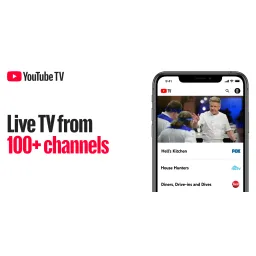
YouTube TV
Entertainment
Cable reimagined: live TV streaming with unlimited cloud DVR storage
- From
- $59.99/month
- Rated
- -
The short version
- Only Overcast has a free tier, so it costs nothing to try first.
- Each has a real cost: Overcast iOS and Mac only, with no Android version or plans for one; YouTube TV base Plan streams to only 3 devices simultaneously; the 4K Plus add-on is required for unlimited concurrent streams, per tv.youtube.com pricing page (Aug 2026)
- Prices and features above were last checked on 30 August 2026.
Where they differ
Only the attributes on which Overcast and YouTube TV actually diverge.
| Attribute | Overcast | YouTube TV |
|---|---|---|
| Starting price | Free | $59.99/month |
| Pricing model | Unknown | subscription |
| Free tier | Yes | No |
| Platforms | iOS, macOS, watchOS | Web |
| Founded | 2014 | Unknown |
Identical on both: user rating (Not yet rated), category (Entertainment).
What each one covers
Drawn from each product's published feature list. An absence here means we hold no record of it - not that the product lacks it.
Only in Overcast
- Podcast app
- Smart Speed
- Voice Boost
- Sync
- Discovery
- Apple services
- Podcast services
- Privacy-focused
Only in YouTube TV
Nothing recorded that Overcast does not also cover.
What people use each for
The jobs each tool is most often brought in to do.
Overcast
- Podcast listeningnot YouTube TV
- Apple integrationnot YouTube TV
YouTube TV
- Watching live sports with multiview capability to watch up to 4 games simultaneouslynot Overcast
- Accessing 100+ broadcast and cable channels for entertainment and showsnot Overcast
- Streaming news coverage from CNN, FOX News, and local stationsnot Overcast
- Sharing household accounts with up to 6 individual family membersnot Overcast
- Recording unlimited content with DVR storage across devicesnot Overcast
Where each one falls short
Documented limitations, not opinions. Every one is a constraint you would hit in normal use.
Overcast
- iOS and Mac only, with no Android version or plans for one
- No web version for accessing podcasts across browsers
- Dependent on Apple ecosystem, limiting accessibility for Windows and Android users
YouTube TV
- Base Plan streams to only 3 devices simultaneously; the 4K Plus add-on is required for unlimited concurrent streams, per tv.youtube.com pricing page (Aug 2026)
- Base Plan is priced at $82.99 per month as of August 2026 per YouTube TV's own pricing page, with a discounted $67.99 rate only for the first 3 months
Pricing, plan by plan
Overcast
Free- FreeFree
- Podcast playback
- Smart Speed
- Voice Boost
- Premium$9.95/year
- No ads
- Custom icons
- Upload personal audio
YouTube TV
$59.99/month- YouTube TV Standard$82.99/month
- 100+ channels
- Unlimited DVR storage
- 6 individual accounts
- YouTube TV Sports$64.99/month
- 30+ sports channels
- YouTube TV Promotional (New Users)$59.99/month
- Standard plan
- First 3 months promotional rate
- Add-Ons$1.99/month
- 4K Plus ($9.99/month)
- Entertainment Plus ($29.99/month)
- Sports Plus ($10.99/month)
Which should you pick?
Choose Overcast if
- You need podcast app.
- You want to start without paying.
- You work on iOS, macOS, watchOS.
- You also want smart speed.
Choose YouTube TV if
Nothing in the data separates YouTube TV from Overcast on the points above - pick on price and on how each one feels to use.
Questions people ask
- Is Overcast or YouTube TV better?
- Neither clearly leads. Overcast starts at Free and YouTube TV at $59.99/month, and user ratings are close enough to be indistinguishable. Choose on capability and platform support.
- Which is cheaper, Overcast or YouTube TV?
- Overcast has a free tier; the other does not. Paid plans start at Free for Overcast and $59.99/month for YouTube TV.
- Does Overcast or YouTube TV run on more platforms?
- Overcast runs on iOS, macOS, watchOS. YouTube TV runs on Web.
- Can I use Overcast for free?
- Yes. Overcast has a free tier, so you can try it without paying. YouTube TV starts at $59.99/month.
- What is Overcast best used for?
- Overcast is most often used for podcast listening, apple integration. Of those, podcast listening and apple integration are not what YouTube TV is typically brought in for.
- What can Overcast do that YouTube TV cannot?
- Overcast covers Podcast app, Smart Speed, Voice Boost, Sync.
Answered from the vendors’ own pages
Overcast: Is Overcast free or paid?
Overcast is free with ad banners promoting podcasts. Premium subscription of $9.95 per year removes ads, enables custom icons, and allows uploading personal audio files.
SourceYouTube TV: Do I need a contract or annual commitment for YouTube TV?
No, YouTube TV has no contracts or hidden fees. You can cancel anytime.
SourceOvercast: What platforms does Overcast support?
Overcast is available on iOS (iPhone, iPad) and Mac with Apple M1 or later. It is not available on Android, Windows, or web.
SourceYouTube TV: Can multiple household members watch YouTube TV at the same time?
Yes, YouTube TV allows up to 4 simultaneous streams and supports 6 individual household accounts with personalized recommendations for each member.
SourceOvercast: What are Overcast's signature features?
Overcast features Smart Speed, which dynamically shortens silences in podcasts while maintaining natural sound, and Voice Boost, which normalizes audio levels across episodes.
SourceYouTube TV: How much DVR storage does YouTube TV include?
YouTube TV includes unlimited DVR storage at no extra cost, allowing you to record as much content as you want.
SourceOvercast: Who develops Overcast?
Overcast is developed and maintained by Marco Arment, a software developer who previously created Instapaper and served as CTO of Tumblr.
SourceRelated pages
Other head to heads
- Overcast vs Castro
- Overcast vs Castbox
- Overcast vs Apple TV+
- Overcast vs Audible
- Overcast vs Stitcher
- Overcast vs Kodi
- Overcast vs Emby
- Overcast vs Hulu
- Overcast vs Jellyfin
- Overcast vs MUBI
- Overcast vs Roku
- Overcast vs BritBox
- Overcast vs IINA
- Overcast vs mpv
- Overcast vs fuboTV
- Overcast vs Maya
- Overcast vs Apple Music
- Overcast vs Final Cut Pro
- Overcast vs Spotify
- Overcast vs TikTok
- Overcast vs Amazon Prime Video
- Overcast vs Philo
- Overcast vs DirecTV Stream
- Overcast vs The Roku Channel
- Overcast vs Infuse
- Overcast vs Pluto TV
- Overcast vs Discord Nitro
- Overcast vs ESPN+
- YouTube TV vs Castro
- YouTube TV vs Castbox
- YouTube TV vs Apple TV+
- YouTube TV vs Audible
- YouTube TV vs Stitcher
- YouTube TV vs Kodi
- YouTube TV vs Emby
- YouTube TV vs Hulu
- YouTube TV vs Jellyfin
- YouTube TV vs MUBI
- YouTube TV vs Roku
- YouTube TV vs BritBox
- YouTube TV vs IINA
- YouTube TV vs mpv
- YouTube TV vs fuboTV
- YouTube TV vs Maya
- YouTube TV vs Apple Music
- YouTube TV vs Final Cut Pro
- YouTube TV vs Spotify
- YouTube TV vs TikTok
- YouTube TV vs Amazon Prime Video
- YouTube TV vs Philo
- YouTube TV vs DirecTV Stream
- YouTube TV vs The Roku Channel
- YouTube TV vs Infuse
- YouTube TV vs Pluto TV
- YouTube TV vs Discord Nitro
- YouTube TV vs ESPN+