 ClickUpvs
 Asana
Asana
Asana: Goal-oriented and cleaner interface with Smart Projects AI for less steep setup; better for structured organizations

One app to replace them all
As of 30 August 2026, ClickUp has a free plan and paid plans start at $7/user/month (annual). ClickUp is an all-in-one productivity platform that brings teams, tasks, and tools together in one place. Softwr lists it under Technology. ClickUp is made by ClickUp Inc, launched in 2017, available on Web, iOS, Android, macOS.
Overview
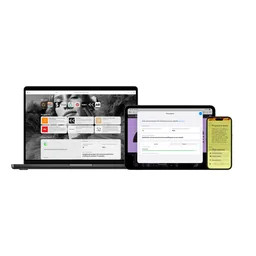
ClickUp is an all-in-one productivity platform that brings teams, tasks, and tools together in one place. With hundreds of customizable features, ClickUp can be configured for any team size or industry, making it a versatile solution for project management, document collaboration, goal tracking, and more.
The honest half
Concrete and checkable, so you can decide whether any of them matter to you. This is the half of a review a vendor will not write about ClickUp.
Cross-shopped
Each pairing was judged by two reviewers asking whether a buyer would genuinely weigh the two against each other. The ones that failed were deleted rather than published.
Asana: Goal-oriented and cleaner interface with Smart Projects AI for less steep setup; better for structured organizations

Monday.com: More visually flexible and easier to learn, better for non-technical teams and client-facing work

Notion: All-in-one workspace combining tasks, docs, and databases with more flexibility but requires self-configuration
Pricing
Taken from the vendor's own pricing page. Prices move, so check before you buy.
Free
Free
Unlimited
$7 /user/month
Business
$12 /user/month
Business Plus
On request
Enterprise
On request
Capabilities
Multiple view types
Custom fields
Automation
Time tracking
Goal tracking
Document collaboration
Whiteboards
Mind maps
Slack
Integration with Slack
Google Drive
Integration with Google Drive
GitHub
Integration with GitHub
GitLab
Integration with GitLab
Answered, with sources
Each answer names the page it came from, so you can check it rather than take our word for it.
ClickUp includes List, Table, Board, Calendar, Gantt, and Inbox views, plus Whiteboards for collaboration and multiple specialized views for different workflows.
SourceClickUp Brain is the AI feature providing workspace Q&A, task summaries, and AI-powered automation available as an add-on at $9 or $28/user/month depending on usage.
SourceInitial setup typically takes 2-4 weeks depending on team size and complexity needs, which is longer than Monday.com (1-2 days) but necessary for ClickUp's flexibility.
SourceYes, time tracking is included in the first paid plan (Unlimited) at $7/user/month, allowing teams to track project hours without additional tools.
SourceBehind it
Timeline
ClickUp reaches $150 million in annual revenue with 20 million users
SourceClickUp raises $400 million Series C co-led by Andreessen Horowitz, reaching $4 billion valuation
SourceClickUp raises $100 million Series B at $1 billion valuation
SourceClickUp raises $35 million Series A round
SourceFirst paying customer acquired, beginning of customer-driven growth phase
SourceClickUp founded by Zeb Evans and Alex Yurkowski as internal tool for social media marketing agency
SourceKeep looking
All-in-one workspace for notes, tasks, wikis, and databases
A project management tool from a small independent vendor that uses AI agents to handle routine ticket maintenance.
Virtual whiteboard for sketching hand-drawn like diagrams
A free, open source Git client from GitHub for Windows and macOS that covers common workflows rather than all of Git.
The single platform to analyze, test, observe, and deploy new features
Google's browser, built on Chromium, with the largest market share and the strictest limits on what extensions may do.
An independent web browser with its own rendering engine, funded almost entirely by search placement deals.
Softwr does not host reviews and shows no star rating for ClickUp, because a rating we did not collect is not ours to publish. What is here is the pricing and platform detail from the vendor’s own pages, limitations we could state concretely, and alternatives a reviewer confirmed people weigh against it. Tell us if any of it is wrong.
What people switch to, and what they give up
Every tier, and where the cost actually lands
Put it head to head with anything we hold
Its rating, and an embed for your own site
Secure access for everyone
The digital analytics platform to understand your users
Apple's WebKit browser, available only on Apple operating systems and updated only with them.
free